






















Revolutionizing AI Integration: The Rise of Remote MCP Servers in Docker
In a dynamic technological landscape, the Model Context Protocol (MCP) has rapidly established itself as the benchmark for linking AI agents with tools and external systems. Within just a year, it has gained enormous popularity among developers, thanks to the extensive array of integrations available through the Docker MCP Catalog. This catalog hosts a vast number of containerized local MCP servers, empowering developers to swiftly experiment and create prototypes on their local machines.
The latest development in this space is the introduction of remote MCP servers to the Docker MCP Catalog. These remote servers offer the same functionality as their local counterparts but are accessible via the internet, thus eliminating the need for local setups and configurations. This advancement significantly enhances accessibility and flexibility for developers, regardless of their environment.
The Docker MCP Toolkit, a crucial component of this ecosystem, now supports remote MCP servers with OAuth, a secure and streamlined method for connecting to external applications such as Notion and Linear. This enhancement simplifies the process of integrating and automating workflows within the Docker environment. Importantly, the Docker MCP Catalog has expanded to include over 60 new remote MCP servers, providing developers with even more options to enhance their productivity and streamline their operations.
As remote MCP servers gain traction, this new feature is poised to benefit millions of developers who rely on Docker for building and managing their applications. In this article, we delve into the implications of this development for the developer community, explore the significance of OAuth support, and provide guidance on how to begin utilizing remote MCP servers with just two straightforward commands.
Connecting to Remote MCP Servers: A Seamless and Secure Experience
Embracing OAuth: Simplifying Security
For many developers, managing API tokens for various services can be a daunting and time-consuming task. Tokens often expire unexpectedly, causing disruptions in existing MCP connections and necessitating reconfigurations. With OAuth integrated directly into Docker MCP, developers can say goodbye to the hassle of manually handling tokens. OAuth allows for secure and rapid connections to remote MCP servers, safeguarding credentials in the process.
A Growing Catalog of Remote MCP Servers
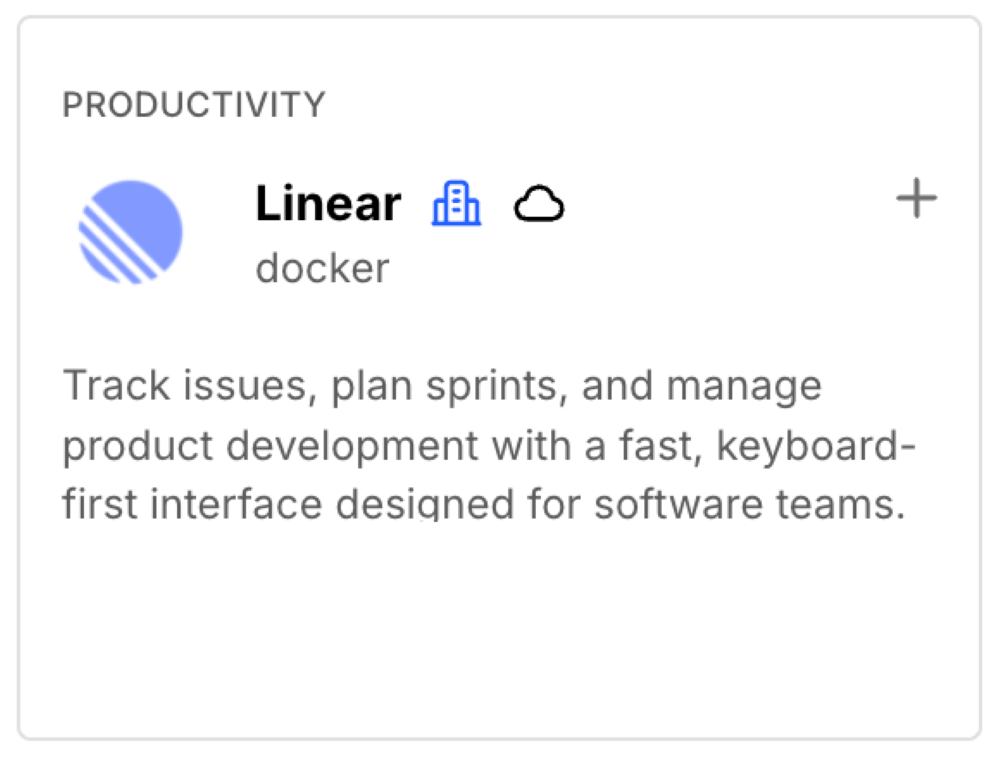
The expanded MCP Catalog now encompasses integrations for popular tools such as Notion, Linear, and many others, covering a range of functions from project management to documentation and issue tracking. This means that whatever tools your team relies on, they are now just a command away. Docker is committed to continually expanding the catalog as new remote servers become available, ensuring developers always have access to the latest integrations.
Ease of Use via Docker CLI or Docker Desktop
One of the most appealing aspects of this update is its simplicity. There is no need for complex setups or a steep learning curve. Developers can leverage their existing Docker CLI to enable and authorize remote MCP servers, fully integrated into the familiar command-line experience they already know and love. Alternatively, Docker Desktop offers a one-click installation process for servers, making it even easier to get started.
Connecting and Authorizing Remote MCP Servers in Two Commands
Using Docker CLI
- Enable Your Remote MCP Server: Select your desired server and enable it with a simple command:
<br /> docker mcp server enable notion-remote<br />
This step registers the remote server and prepares it for OAuth authorization.
- Authorize Securely with OAuth: Complete the authorization with the following command:
<br /> docker mcp oauth authorize notion-remote<br />
This will open your browser to an OAuth authorization page, allowing you to securely connect.
Using Docker Desktop
- Enable Your Remote MCP Server: If you prefer using Docker Desktop, navigate to the Catalog tab, search for your preferred server, and click the cloud icon to indicate it’s a remote server. Press the “+” button to enable it.

- Authorize Securely with OAuth: Open the OAuth tab and select “Authorize” next to the MCP Server you wish to authenticate with.

Once authorization is complete, your connection is live, and you can interact with supported MCP servers, such as Notion and Linear, directly through your Docker MCP environment.
Why This Update is Significant for Developers
Unified Ecosystem Access
For developers, the ability to consolidate access to multiple tools through a single, secure, unified interface is a game-changer. The Docker MCP Toolkit facilitates this by eliminating the need to configure each MCP client individually. This means developers can avoid repeated logins to the same service across different clients, enhancing efficiency and productivity.
Unlocking AI-Powered Workflows
Remote MCP servers provide an effortless way to integrate data, tools, and AI. These servers are always up to date and offer faster performance as they do not require running code on local machines. With OAuth support, connected applications can securely provide context to AI models, unlocking powerful new automation possibilities.
Building the Future of Developer Productivity
This update is not just about enhancing integration; it’s about laying the groundwork for a more connected, intelligent, and automated developer experience. The potential for increased productivity and innovation is immense, and this is just the beginning of what promises to be an exciting evolution in developer tools and capabilities.
Conclusion
The introduction of OAuth for remote MCP servers positions the Docker MCP Toolkit as a formidable tool for securely connecting workflows, tools, and AI-powered automations. With over 60 new remote servers now available and the promise of continual growth, developers can seamlessly integrate their favorite services, such as Notion and Linear, directly into the Docker MCP Toolkit.
Learn More
- To delve deeper into this topic, refer to the Docker documentation.
- Explore the MCP Catalog to discover containerized, security-hardened MCP servers.
- Get started with the MCP Toolkit by opening Docker Desktop (requires version 4.48 or newer to launch the MCP Toolkit automatically).
In summary, the advancements in remote MCP servers within the Docker ecosystem mark a significant leap forward in developer tools, providing a more unified, secure, and efficient approach to accessing and managing the diverse tools that modern developers rely on every day.
- To delve deeper into this topic, refer to the Docker documentation.