




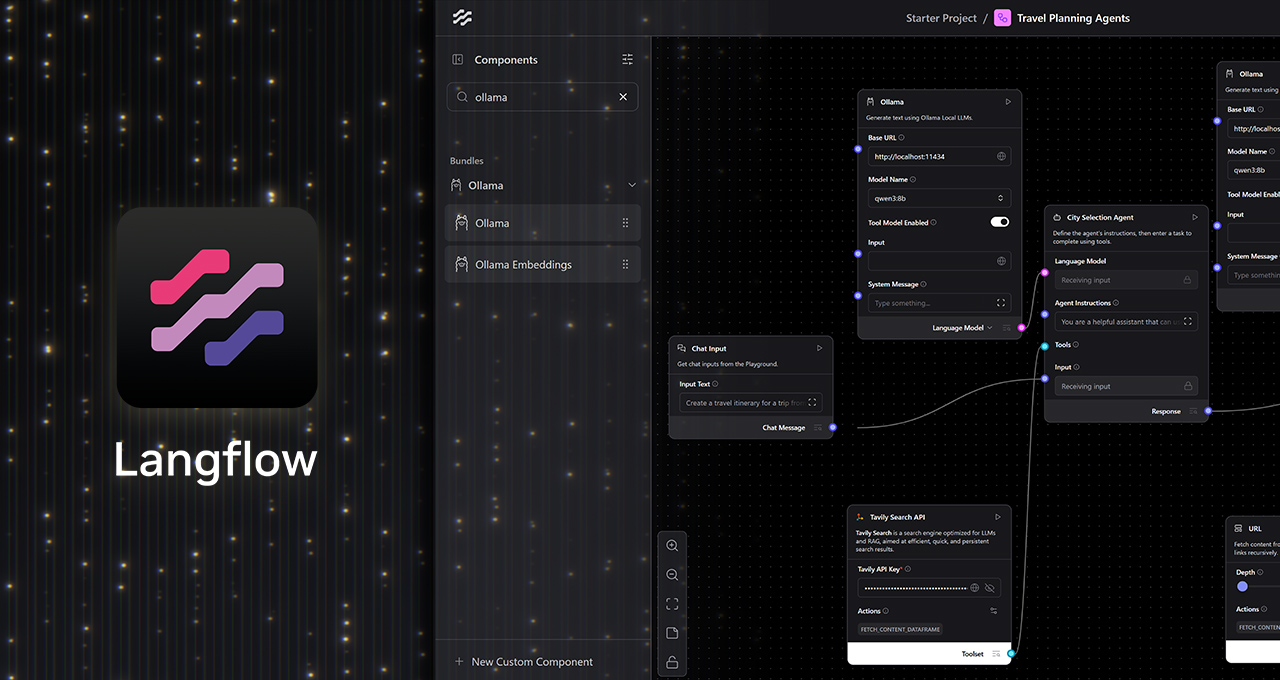
Interest in generative AI is surging as cutting-edge models expand their capabilities, allowing even those without a developer background to explore these advanced technologies. With the advent of user-friendly applications, such as Langflow, AI enthusiasts can now harness the power of generative AI models without needing extensive coding knowledge.
Langflow is a low-code, visual platform designed to simplify the creation of custom AI workflows. It offers a straightforward, drag-and-drop user interface (UI) that allows users to connect various components of generative AI models—like large language models (LLMs), memory stores, and control logic—effortlessly. This approach eliminates the need for manual scripting, enabling users to develop complex AI workflows that can mimic intelligent decision-making and perform multistep actions.
One of Langflow’s noteworthy features is its native integration with Ollama, which empowers users to create local AI workflows that operate privately and without cost. This is made possible by leveraging the power of NVIDIA’s GeForce RTX and RTX PRO GPUs. By running these AI models locally, users benefit from enhanced data privacy as their inputs, files, and prompts remain confined to their devices. Additionally, they avoid the costs and restrictions associated with cloud-based API access and enjoy high performance thanks to the RTX GPUs’ low-latency and high-throughput capabilities.
Langflow stands out from other applications that are limited to single-turn LLM queries by enabling the creation of advanced AI workflows. These workflows can function as intelligent collaborators, capable of analyzing files, retrieving information, executing functions, and responding contextually to dynamic inputs. The flexibility of Langflow allows users to run models from either the cloud or their local setup, with the latter option offering significant advantages.
To create a local AI workflow using Langflow and Ollama, users can follow a straightforward process:
- Install the Langflow Desktop App: Available for Windows, this app serves as the primary tool for designing AI workflows.
- Download Ollama: After installation, users can run Ollama and choose a preferred model, such as Llama 3.1 8B or Qwen3 4B, recommended for beginners.
- Launch Langflow and Select a Starter: The platform offers built-in starters for various use cases, from travel agents to purchase assistants. These templates usually run in the cloud for initial testing but can be customized to operate locally on RTX GPUs.
- Replace Cloud Endpoints with Local Ollama Runtime: For agentic workflows, users set the language model to Custom, drag an Ollama node onto the canvas, and connect the agent node’s custom model to the Language Model output of the Ollama node.
Once the local workflow is set up, users can modify and expand templates to suit advanced automation and assistant use cases. They can add features such as system commands, local file search, or structured outputs for more comprehensive automation solutions.
Getting started with Langflow is straightforward, and the platform provides two sample projects for exploration:
- Create a Personal Travel Itinerary Agent: Users can input travel requirements, including restaurant reservations and dietary restrictions, to automatically arrange accommodations, transportation, food, and entertainment.
- Expand Notion’s Capabilities: Notion, an AI workspace application, can be enhanced with AI models that automatically input meeting notes, update project statuses based on Slack chats or email, and send out project or meeting summaries.
In addition to Langflow’s capabilities, NVIDIA’s RTX Remix platform introduces the Model Context Protocol (MCP) to further empower modders. RTX Remix is an open-source platform that allows modders to enhance materials with generative AI tools, creating stunning RTX remasters featuring full ray tracing and neural rendering technologies. By integrating Langflow nodes with MCP, users gain a direct interface for working with RTX Remix, enabling the development of modding assistants that can intelligently interact with Remix documentation and mod functions.
NVIDIA’s Langflow Remix template provides modders with several tools to get started, including:
- A retrieval-augmented generation module with RTX Remix documentation.
- Real-time access to Remix documentation for Q&A-style support.
- An action module via MCP that supports direct function execution inside RTX Remix, allowing for asset replacement, metadata updates, and automated mod interactions.
Modding assistant agents built with this template can discern whether a query is informational or action-oriented and respond accordingly. For instance, a user might request the agent to “swap this low-resolution texture with a higher-resolution version,” prompting the agent to check the asset’s metadata, locate a suitable replacement, and update the project using MCP functions without manual intervention.
Langflow also supports NVIDIA Project G-Assist, an experimental on-device AI assistant that runs locally on GeForce RTX PCs. G-Assist allows users to query system information, adjust settings, and more through simple natural language prompts. By incorporating the G-Assist component into Langflow, users can build custom workflows to execute commands like “get GPU temperatures” or “tune fan speeds.” Moreover, G-Assist’s plug-in architecture permits users to add new commands tailored to their workflows, expanding the assistant’s functionality.
As an innovative development tool, Langflow also aids in the creation of AI workflows for NVIDIA NeMo microservices, a modular platform for deploying AI solutions across on-premises or cloud Kubernetes environments. With integrated support for Ollama and MCP, Langflow offers a practical no-code platform for building real-time AI workflows and agents that operate fully offline, accelerated by NVIDIA’s cutting-edge GPUs.
For those interested in learning more about NVIDIA’s AI innovations, the RTX AI Garage blog series provides insights into community-driven projects and educational content for building AI agents, creative workflows, productivity apps, and more. Readers can stay informed by subscribing to the RTX AI PC newsletter or joining NVIDIA’s Discord server to connect with community developers and AI enthusiasts.
For more information, interested readers can explore the NVIDIA website for further details on Langflow, RTX Remix, and other AI-related offerings.
For more Information, Refer to this article.