






















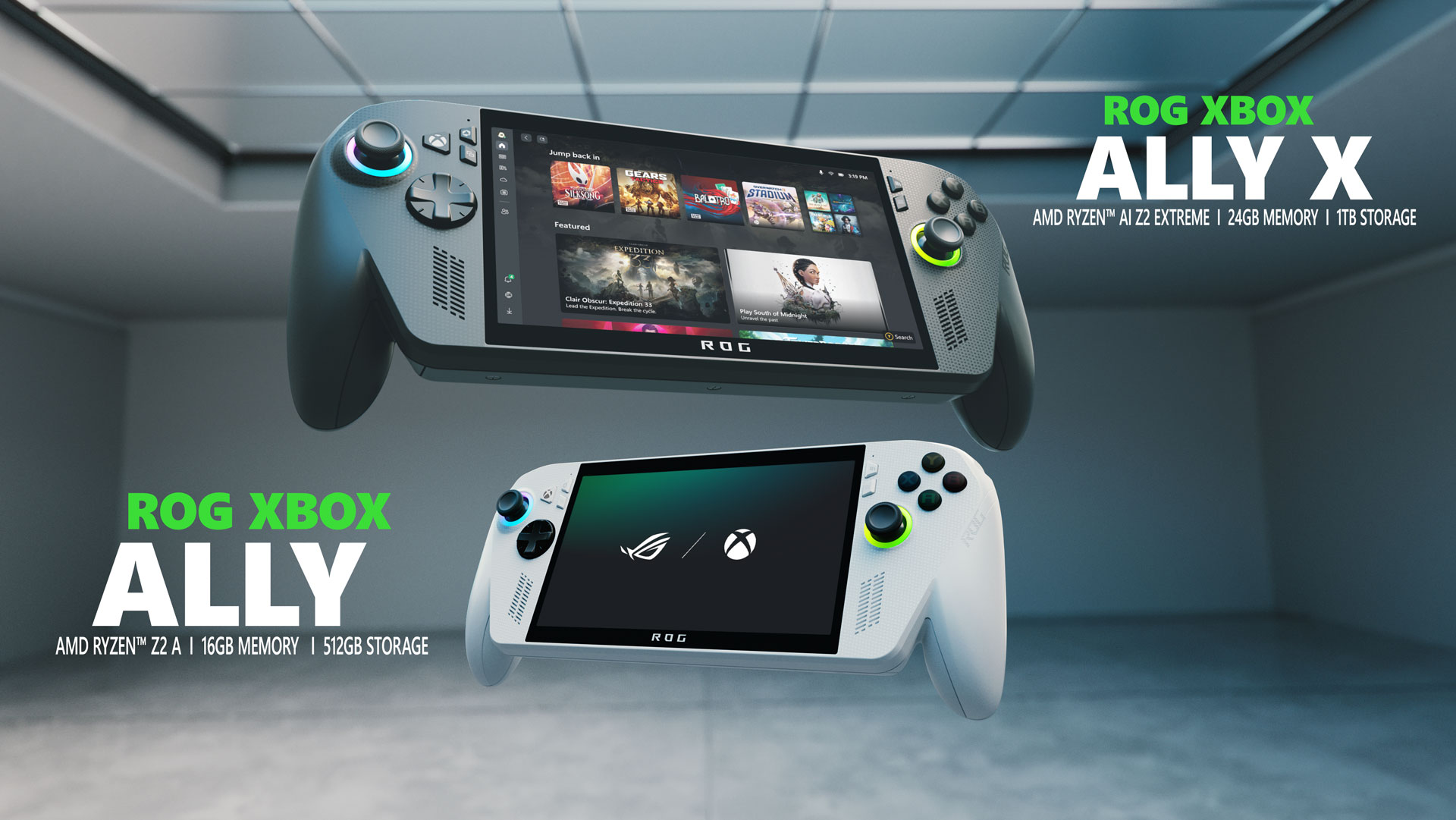
The world of handheld gaming is witnessing remarkable advancements, and the gaming community’s feedback is playing a crucial role in shaping its future. Xbox, Windows, and ASUS have been actively listening to the inputs from players and are committed to enhancing the gaming experience on handheld devices. The recent updates to the ROG Xbox Ally handhelds are a testament to this commitment, offering new features, improvements, and a glimpse into what’s in store for the future of gaming.
Innovation in Handheld Gaming
The introduction of Default Game Profiles marks a significant leap forward in optimizing the gaming experience on the ROG Xbox Ally. This feature, currently available in preview mode, is designed to automatically adjust the frame rate and power consumption for a selection of 40 games at launch, including popular titles like Fortnite, Gears of War: Reloaded, and Hollow Knight: Silksong. This automated balancing act ensures smoother gameplay and extended battery life, eliminating the need for manual adjustments.
For instance, when playing Hollow Knight: Silksong, the Default Game Profile can extend battery life by nearly an hour while maintaining a smooth 120 FPS gameplay. These profiles are meticulously crafted for each game, activating only when the device is on battery power. When a supported game is launched, the system applies a tailored game profile that sets the recommended power (TDP) and FPS limit specific to that game.
If a game struggles to meet its target FPS, the profile will increase power to help achieve the desired performance, albeit at the expense of some battery life. Conversely, if a game exceeds the target FPS, the profile will cap the frame rate to conserve power. Players have the flexibility to toggle these settings on or off using the Armoury Crate Command Center Gare Bar widget, where Game Profiles are prominently displayed.
A Closer Look at Default Game Profiles
The preview of Default Game Profiles includes a variety of first-party games and more, such as:
- Call of Duty: Black Ops 6
- Call of Duty: Black Ops 7
- Call of Duty: Warzone
- DOOM Eternal
- DOOM: The Dark Ages
- Forza Horizon 5
- Gears 5
- Gears of War: Reloaded
- Gears Tactics
- Halo: The Master Chief Collection
- Indiana Jones and the Great Circle
- Minecraft
- Sea of Thieves
- Tony Hawk’s Pro Skater 3+4
Enhancements for a Better Gaming Experience
In addition to Default Game Profiles, the developers have rolled out several updates aimed at delivering a smoother, faster, and more reliable gaming experience on the Xbox ROG Ally. These improvements include:
- Enhanced Gamepad response post-login.
- Faster Library loading, especially beneficial for players with extensive game libraries.
- Improved performance on the Cloud Gaming page, offering quicker loading times and increased responsiveness.
- A new Game Gallery filter that sorts games by Performance Fit, helping players determine how well games will run on their device.
- Various bug fixes and performance enhancements to improve stability and responsiveness.
To fully experience the Default Game Profiles and the latest improvements, players should ensure they have installed the most recent updates for Armoury Crate SE, the Xbox PC app, and Windows 11. Additional tips for getting started can be found here.
Exclusive Benefits with Xbox Game Pass
As announced at the launch, players in select markets who purchase an ROG Xbox Ally or ROG Xbox Ally X handheld will receive three months of Xbox Game Pass Premium (where available). This subscription offers unlimited Xbox Cloud Gaming, access to PC titles, and a library of over 200 great games like Forza Horizon 5, Hogwarts Legacy, Minecraft, and more, available to play anytime, anywhere. Additional details can be found at Xbox.com.
Future Prospects
Based on early player feedback, the developers are investing in enhancements like improved sleep and wake reliability and better formatting options for microSD cards. Early next year, the ROG Xbox Ally X will also introduce exciting AI-powered features such as Automatic Super Resolution (Auto SR) and highlight reels, providing players with more ways to enjoy and share their gaming moments.
Upcoming Features and Improvements
Next week, the Game Save Sync Indicator will be rolled out. This feature is designed to give players peace of mind when switching between devices. With clear status updates, players will know exactly when their progress has synced to the cloud, whether they’re wrapping up on their PC or powering down their handheld. This feature ensures seamless, stress-free play across devices, eliminating guesswork and lost progress.
Expanding the Full Screen Experience
Last month, the full screen experience was launched on the ASUS ROG Xbox Ally and ROG Xbox Ally X—an optimized feature for handheld gaming. This experience is now expanding in preview to more Windows 11 form factors, such as desktops, laptops, and tablets, for Xbox and Windows Insiders. Powered by Windows 11 and inspired by the streamlined console experience, the Xbox full screen experience is purpose-built for gaming. On handhelds, it minimizes background activity and defers non-essential tasks, dedicating more system resources to gameplay.
Continuing the Journey
This is just the beginning. The developers are continuously listening to player feedback and are excited to deliver even more new features and options that elevate the handheld gaming experience. They are also working on a new method to make sharing player input easier, with more details to be shared soon. In the meantime, players are encouraged to provide feedback directly through the feedback hub.
The gaming community is at the heart of these developments, and the collaboration between players and developers is paving the way for the future of gaming. Stay tuned for more updates as the journey continues.
*Note: Subscription claims must be made within 30 days of device activation. A valid payment method is required. The subscription continues automatically at the regular monthly price unless canceled. Terms and exclusions apply. More information on subscription terms can be found at xbox.com/subscriptionterms.
For more Information, Refer to this article.