









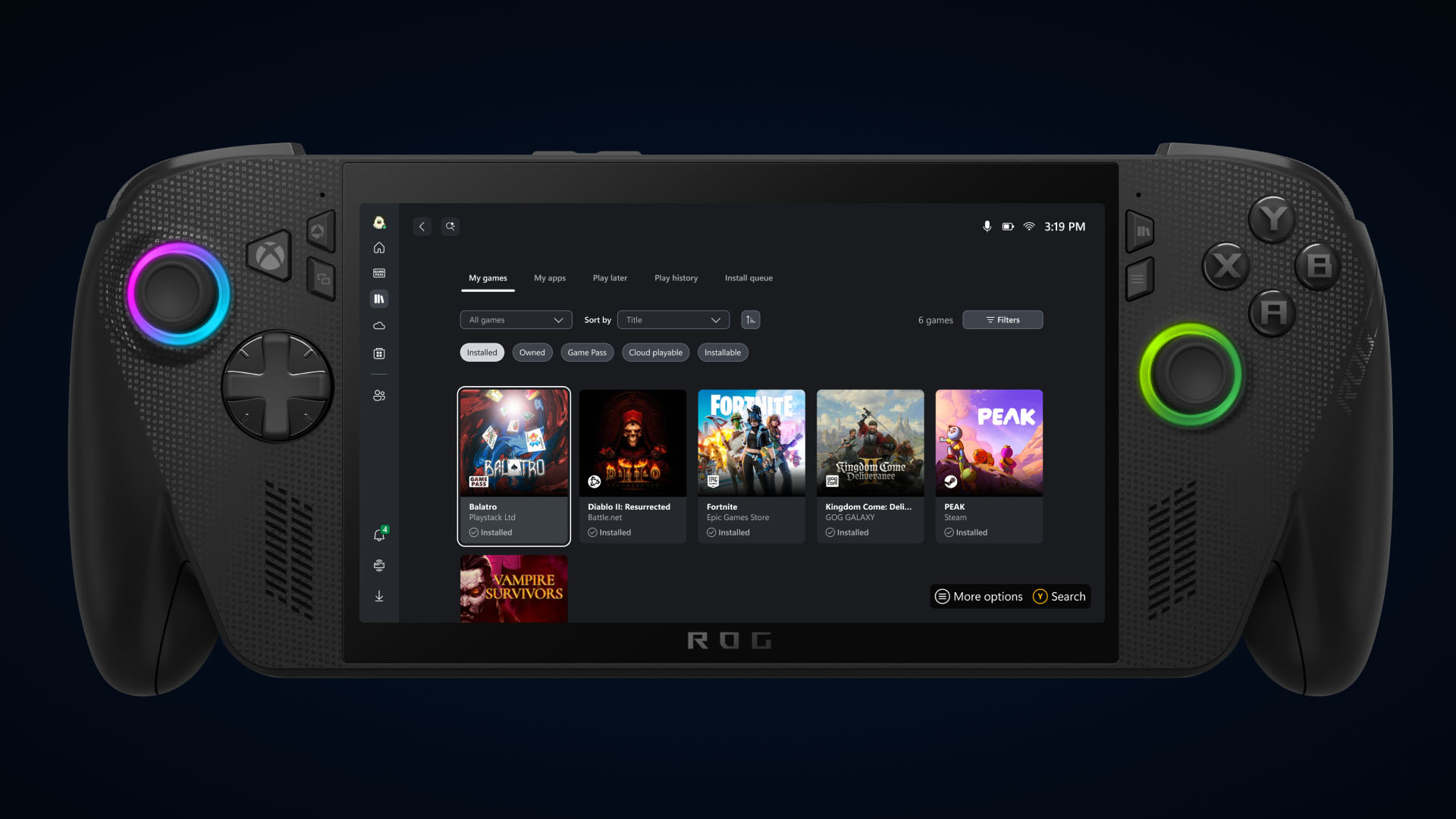
Introduction to the Latest Xbox Updates
In an exciting new development for gaming enthusiasts, Xbox has introduced a series of updates designed to streamline and enhance the gaming experience on both PCs and handheld devices. These updates aim to bring your gaming library, select third-party applications, and various PC storefronts together in a single, easy-to-access hub. The primary goal is to allow gamers to launch and manage their games more efficiently, regardless of the platform they are using.
Unified Gaming Library: Your Games in One Place
One of the standout features of this update is the creation of an aggregated gaming library. This innovation allows gamers to see and access their installed games from multiple PC storefronts, including the Xbox library, Xbox Game Pass, Battle.net, and other major PC platforms. Whether you’re gaming on a Windows PC or a handheld device, you can easily locate and launch your games from this centralized library.
Once a game is installed from a supported PC storefront, it automatically appears in the “My Library” section within the Xbox PC app. Additionally, it is listed under the “Most Recent” titles in the sidebar. This ensures that you can quickly jump back into your favorite games with just a click, streamlining the gaming experience.
Customizing Your Gaming Library
The update also provides users with the ability to control the appearance of their gaming library. Games installed from supported PC storefronts will automatically show up in the “My Library” and “Most Recent” sections of the Xbox PC app. However, if you prefer a more minimalistic view, you can customize what you see in your library.
To tailor your library to your preferences, follow these steps:
1. Click on your profile picture.
2. Navigate to Settings.
3. Go to Library & Extensions.
4. Review the list of storefronts.
5. Toggle off any listings you do not wish to see.
By doing this, you can ensure that only the games you are interested in are visible, giving you full control over how your library looks and feels.
Streamlined Access to PC Storefronts
The introduction of a new “My Apps” tab further simplifies the gaming experience. This feature consolidates third-party applications and storefronts into a single, convenient location. With this aggregated gaming library, you can find, download, and launch games from multiple sources without needing to switch between different apps or your desktop. This integration makes managing your gaming library more seamless and efficient.
Seamless Cloud Gaming Experience
Another exciting feature set to roll out in September is the ability for your cloud-playable games and gameplay history to follow you across all your devices. This means that no matter where you are or what device you’re using, you can pick up right where you left off. To see which games are cloud-playable, you can use the “cloud playable” filter in the “My games” section to view your catalog of supported titles.
Once this feature is live, you’ll find a “Jump back in” list on the Home screen of your console, PC, or handheld device. This will display your recent play history, making it easy for you to continue your gaming sessions without any hassle.
Engage with Xbox’s Future Developments
Xbox is committed to continuously improving the gaming experience for its users. To stay updated with the latest news and future updates, keep an eye on Xbox Wire. For any support or assistance related to Xbox updates, you can visit the official Xbox Support site.
Conclusion
These exciting updates from Xbox are set to revolutionize the way gamers interact with their libraries and gaming platforms. By bringing multiple gaming storefronts together and enhancing cloud gaming capabilities, Xbox is ensuring that gamers have more control and flexibility over their gaming experiences. Whether you’re a seasoned gamer or new to the Xbox ecosystem, these updates promise to deliver a more streamlined and enjoyable experience.
For more information on these updates, you can visit the official Xbox Wire website. Stay tuned for further developments as Xbox continues to innovate and enhance the gaming landscape.
For more Information, Refer to this article.




![[Video] Samsung Color E-Paper: A Smarter Alternative to Traditional Posters](https://www.hawkdive.com/media/samsung-tvs-and-displays-samsung-color-e-paper-samsung-vxt-digital-signage_thumb932-218x150.jpg "Samsung introduces Color E-Paper as innovative poster alternative.")