





















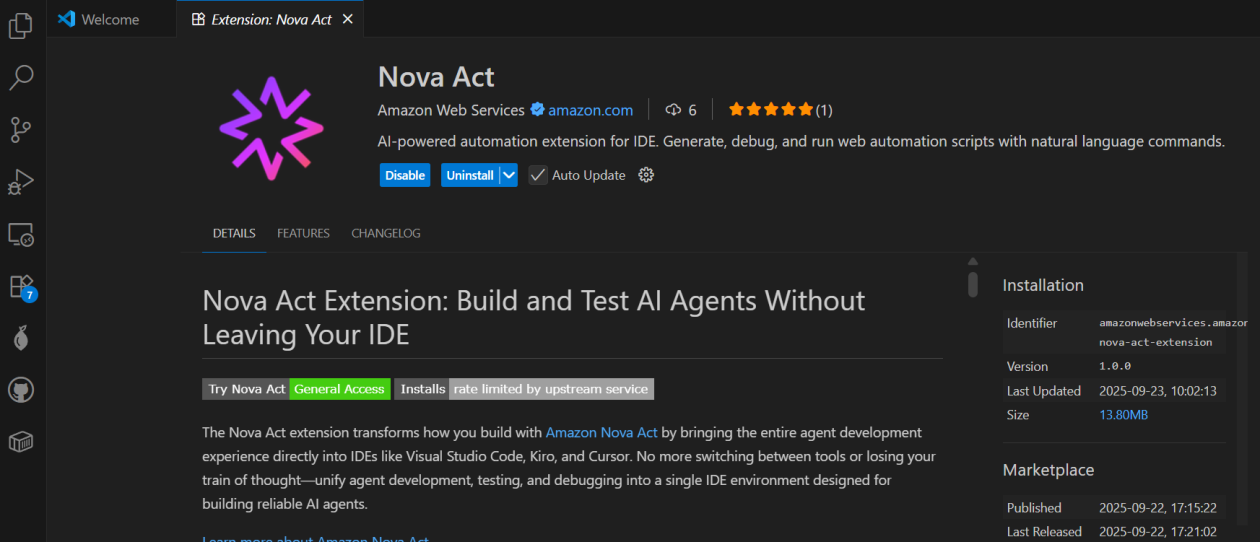
Introducing the Nova Act Extension: A New Frontier in Browser Automation
The tech world is buzzing with excitement as Amazon unveils the Nova Act extension, a groundbreaking tool designed to simplify the process of creating browser automation agents. This innovative extension seamlessly integrates with popular Integrated Development Environments (IDEs) such as Visual Studio Code (VS Code), Kiro, and Cursor. The Nova Act extension leverages the Nova Act model, allowing developers to create web-based automation agents using natural language, which is a significant leap forward in streamlining development workflows.
A Closer Look at the Nova Act Extension
The Nova Act extension is built upon the Amazon Nova Act SDK (Software Development Kit), currently in its preview phase. This SDK serves as the backbone for creating browser automation agents. One of the standout features of the Nova Act extension is its ability to revolutionize traditional workflow development. It eliminates the need for context switching between coding and testing environments. Now, developers can build, customize, and test production-grade agent scripts—all within their IDE—thanks to features like natural language-based generation, atomic cell-style editing, and integrated browser testing. This unified approach significantly accelerates development speed for tasks such as form filling, QA automation, search, and complex multi-step workflows.
Getting Started with the Nova Act Extension
The journey with the Nova Act extension begins by installing it from the extension manager within your chosen IDE. Let’s take Visual Studio Code as an example. After accessing the Extensions menu, you can search for "Nova Act" and proceed to install it. Once installed, the next step involves obtaining an API key, which is essential for utilizing the extension’s full capabilities. By navigating to the Nova Act page, you can follow the instructions to acquire the API key and integrate it into your IDE using the Command Palette.
Builder Mode: A Modular Approach to Automation
One of the main features of the Nova Act extension is the Builder Mode, which employs a notebook-style builder mode to break down complex automation scripts into modular cells. This allows developers to test and debug each step individually before proceeding to the next. Using the Nova Act SDK, developers can construct their agents, while a Live view panel provides a preview of the agent’s actions in the browser. The Output panel is also available to monitor execution logs, including the model’s decision-making processes and actions.
Testing and Debugging with Nova Act
To test the Nova Act extension, you can opt to run all cells, initiating a new browser instance that acts based on the given prompt. For a comprehensive view of the browser automation in action, you can choose the Fullscreen option. Additionally, the Builder Mode offers the ability to navigate to the Output panel and select specific cells to view their logs, aiding in debugging or reviewing logs pertinent to the cell in focus. If you’re new to the Nova Act extension, you can also select a template to help you get started.
Engaging with Nova Act through Chat
Another exciting feature of the Nova Act extension is the ability to engage with Nova Act through a chat interface to create scripts. By selecting the extension and choosing "Generate Nova Act Script," a chat dialog opens in the right panel, where the extension automatically generates a script for you. Once the script is complete, you can transition to Builder Mode, where the Nova Act extension assists in creating a Python file, allowing for seamless toggling between chat capabilities and Builder Mode.
Workflow Modes and Contextual Adaptation
The Nova Act extension’s chat interface offers three distinct workflow modes:
- Ask: Describe tasks using natural language to generate automation scripts.
- Edit: Refine or customize generated scripts before execution.
- Agent: Run, monitor, and interact with the AI agent performing the workflow.
Additionally, developers can add Context to provide relevant information about active documents, instructions, problems, or additional Model Context Protocol (MCP) resources. This ensures the agent comprehends the specific requirements of the automation task. The extension also offers a selection of predefined templates accessible via the chat interface. These templates are ready-made automation scenarios designed to facilitate quick script generation for common web tasks, such as online shopping, data extraction, search and information gathering, quality assurance, and form filling.
Transforming Agent Development Workflow
The Nova Act extension stands out as a comprehensive agent builder tool, providing a complete agent IDE for the entire development lifecycle. By blending natural language prototyping, modular scripting customization, and local testing validation, the extension ensures production-grade scripts can be developed without leaving the IDE environment.
Key Considerations for Nova Act Extension Users
- Supported IDEs: At launch, the Nova Act extension is available for Visual Studio Code, Cursor, and Kiro, with plans for additional IDE support in the future.
- Open Source: The Nova Act extension is released under the Apache 2.0 license, encouraging community contributions and customization.
- Pricing: The Nova Act extension is available free of charge, offering an accessible entry point for developers.
For those eager to dive into browser automation, the Nova Act extension is readily available for installation from your IDE’s extension marketplace. Additionally, the GitHub repository offers comprehensive documentation and examples to guide you through the process.
Conclusion
The Nova Act extension is poised to revolutionize the way developers approach browser automation. With its intuitive integration into popular IDEs and the ability to generate, customize, and test scripts within a single environment, it marks a significant advancement in streamlining development workflows. Whether you’re a seasoned developer or new to automation, the Nova Act extension offers the tools and flexibility needed to enhance productivity and efficiency in creating sophisticated web-based automation agents.
For more information on the Nova Act extension and to begin your automation journey, visit the GitHub repository.
Happy automating!
For more Information, Refer to this article.