Running legacy code on the latest Ubuntu can be tricky because Canonical and LiteSpeed no longer ship PHP 7.4 for 24.04. This guide shows three workable methods—with screenshots, commands, and fall-back tips—so you can publish your WordPress (or any PHP app) today and still roll forward later.
Contents
- Why PHP 7.4 isn’t in the repo any more
- Quick comparison of the three downgrade paths
- Method A (recommended) – Point OpenLiteSpeed at an external php-fpm 7.4 pool
- Method B – Compile lsphp 7.4 from source (keeps LSAPI speed)
- Method C – Redeploy on Ubuntu 22.04/Debian 12 where
lsphp74is still packaged - FAQ & troubleshooting matrix
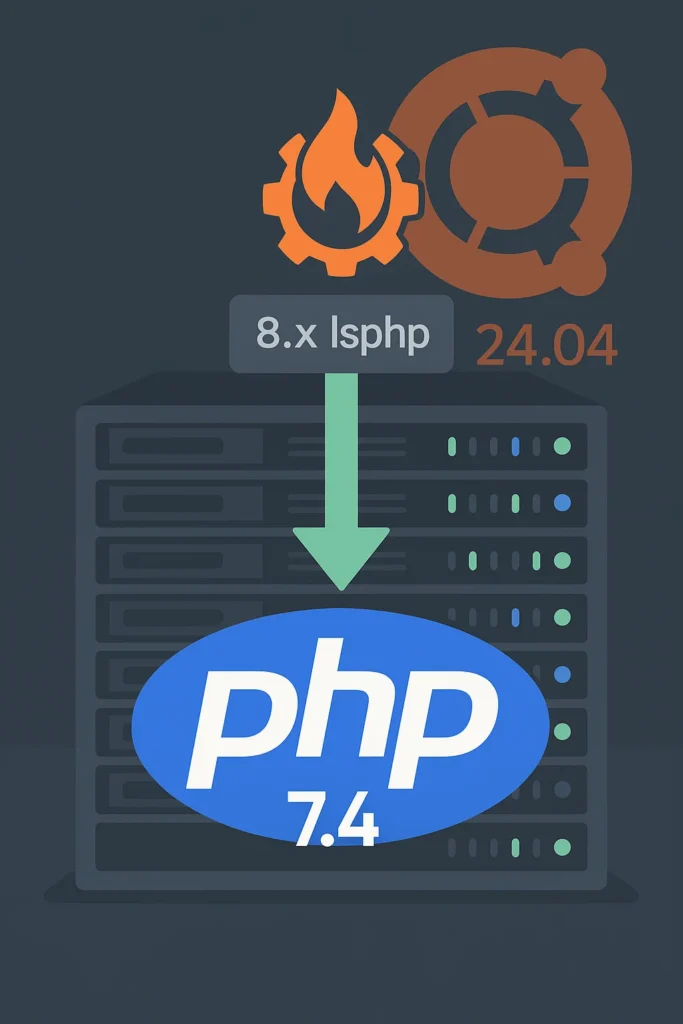
1. Why can’t apt install lsphp74 find anything?
- LiteSpeed’s official repo starts at PHP 8.1 for Ubuntu 24.04.
The olderlsphp74series is built only for 18.04, 20.04 and 22.04. docs.vultr.com - Ubuntu’s own archives removed PHP 7.x in favour of 8.3.
- PHP 7.4 reached end-of-life on 28 Nov 2022 (no security patches).
So if your application truly requires 7.4 you need an alternate package source or you need to build it yourself.
2. Three downgrade paths at a glance
| Path | How long? | Maintained by | Pros | Cons |
|---|---|---|---|---|
| A. Use php-fpm 7.4 from Ondřej Surý’s PPA | 5 min | Community PPA | Package-managed, easy to swap to PHP 8 later | Slightly slower than LSAPI; PPA is “best-effort” |
| B. Compile lsphp 7.4 from source | 15 min | You | Full LSAPI speed, no extra repo | Manual updates; need build tools |
| C. Re-deploy on 22.04/LS repo | 10 min + migrate | LiteSpeed | Clean, binary packages | Server rebuild; still EOL PHP |
The rest of this article walks through Method A in depth, with call-outs for B & C where they differ.
3. Method A — php-fpm 7.4 + FastCGI handler
Step 1 – Install PHP 7.4-FPM and common extensions
sudo apt update
sudo apt install -y software-properties-common ca-certificates curl
sudo add-apt-repository ppa:ondrej/php        # press <Enter>
sudo apt update
sudo apt install -y php7.4-fpm \
  php7.4-{mysql,xml,gd,zip,curl,intl,mbstring,imagick,opcache}
The Ondřej Surý PPA still publishes 7.4 packages for noble. launchpad.net
php7.4-fpm starts automatically and listens on/run/php/php7.4-fpm.sock.
Step 2 – Create a FastCGI External App in OpenLiteSpeed
| Field | Value |
|---|---|
| Type | FastCGI App |
| Name | php74fpm |
| Address | uds://run/php/php7.4-fpm.sock |
| Max Connections | 100 |
| Start By Server | No |
| Command | (leave blank) |
| Ext Path Info | Yes (toggle “Show All” in the form to reveal this field) |
Save ➜ Graceful Restart.
Why “Start By Server = No”?
php-fpm is already running as a service; OLS should act only as a client.
Alternate GUI-hidden field method
If Ext Path Info isn’t visible:
- SSH in and open
/usr/local/lsws/conf/httpd_config.conf. - Find the
extprocessor php74fpmblock and add: apacheCopyEditextPathInfo 1 sudo /usr/local/lsws/bin/lswsctrl restart.
Step 3 – Switch the global Script Handler
Server Configuration ▸ Script Handler → edit the php row:
| Field | New value |
|---|---|
| Handler Type | FastCGI |
| Handler Name | php74fpm |
Save ➜ Restart.
(Leave the vHost-level Script Handler blank so it inherits this one.)
Step 4 – Verify
echo '<?php phpinfo(); ?>' | sudo tee /var/www/www.hawkdive.com/info.php
- Visit
http://your-site/info.php→ header shows PHP 7.4.33. - WordPress front-end &
/wp-admin/should load without 403s. - Tail
/usr/local/lsws/logs/error.logto be sure the PATH_INFO errors are gone.
Step 5 – (Optionally) switch CLI to PHP 7.4
sudo apt install -y php7.4-cli
sudo update-alternatives --set php /usr/bin/php7.4
4. Method B — Compile lsphp 7.4 yourself (LSAPI performance)
apt install -y build-essential libxml2-dev libcurl4-openssl-dev \
               libjpeg-dev libpng-dev libonig-dev libzip-dev
wget https://www.php.net/distributions/php-7.4.33.tar.gz
tar xzf php-7.4.33.tar.gz && cd php-7.4.33
./configure --with-litespeed --prefix=/usr/local/lsws/lsphp74 \
            --with-mysqli --with-openssl --enable-mbstring --enable-gd \
            --with-zlib --with-curl --enable-intl --with-zip
make -j"$(nproc)" && make install
Now create an LSAPI External App:
| Address | uds://tmp/lshttpd/lsphp74.sock |
| Command | /usr/local/lsws/lsphp74/bin/lsphp |
| Start By Server | Yes (Through CGI Daemon) |
| Ext Path Info | Yes |
Switch the Script Handler to this app and restart.

5. Method C — Spin up a 22.04 VPS
- Deploy Ubuntu 22.04 + OpenLiteSpeed image.
sudo wget -O - https://repo.litespeed.sh \| sudo bashsudo apt install lsphp74 lsphp74-{curl,mysql,xml,...}- Switch Script Handler to
lsphp74(already created by the helper). - rsync your
/var/wwwand database over.
6. FAQ & Troubleshooting Matrix
| Error | Cause | Fix |
|---|---|---|
E: Unable to locate package lsphp74 | LiteSpeed repo for 24.04 has no 7.4 builds | Use Method A or C |
403 Forbidden + “static file with PATH_INFO” | Ext Path Info off | Enable it (GUI or config line) |
503 Service Unavailable + connect() failed: Permission denied | OLS user cannot write to FPM socket | listen.owner/group = www-data and listen.mode = 0660 (or 0666) |
No input file specified | Wrong DocumentRoot or chroot | Fix path / disable chroot |
Final thoughts
OpenLiteSpeed makes it painless to swap interpreters, so you can keep a legacy project alive while planning an upgrade path. Remember that PHP 7.4 receives zero security fixes—lock down /wp-admin/, use strong passwords, and schedule that code refactor sooner rather than later.
Happy hosting!