








Threads Introduces Live Chats for Real-Time Engagement
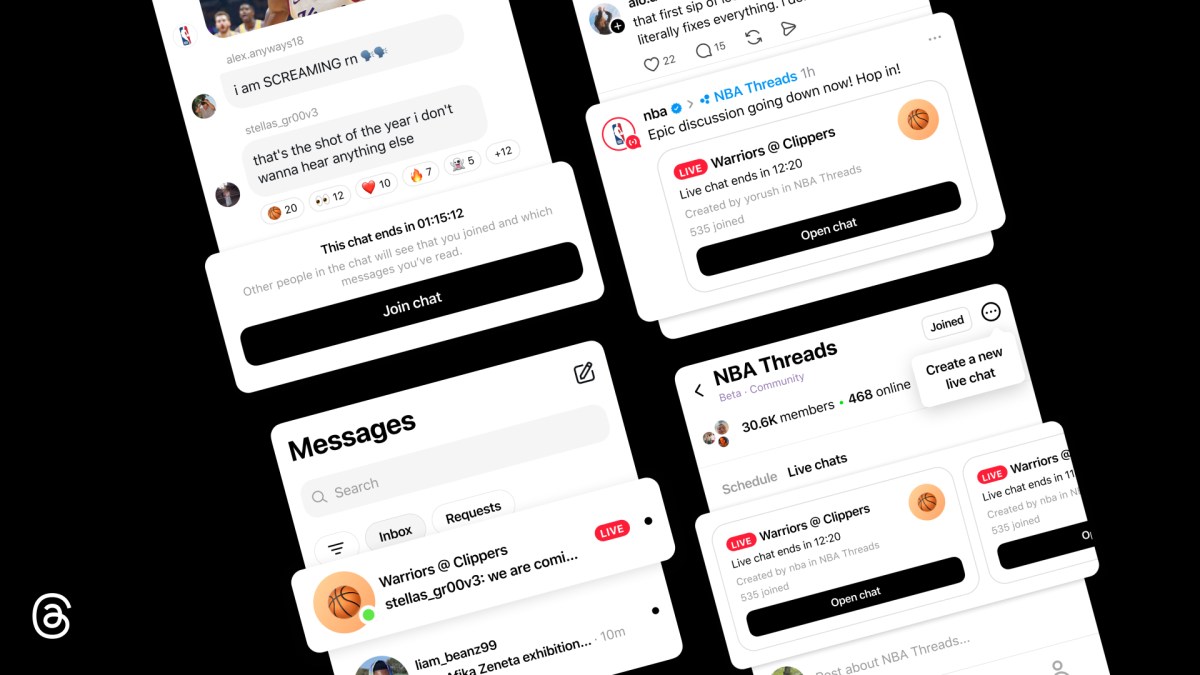
Threads, the social media platform focused on community engagement, has launched a new feature called Live Chats. This addition allows users to participate in public group chats during significant cultural events, such as album releases or sports games, enhancing real-time interaction among fans and creators. The feature aims to foster community connections by facilitating discussions around shared interests as they unfold.
Dynamic Features of Live Chats
Live Chats are designed to offer a more dynamic experience compared to traditional group chats. Users will see a distinctive profile ring indicating when someone is live, which encourages participation. The chats include interactive elements like real-time polls, countdowns to events, and typing indicators that keep conversations engaging. For sports enthusiasts, live scores will be integrated into the chats, ensuring that discussions remain synchronized with ongoing games.
Launching with the NBAThreads Community
The initial rollout of Live Chats will take place within the NBAThreads Community during the playoffs. Notable figures in sports media, such as Malika Andrews and Rachel Nichols, will host these chats during live games. This strategic choice highlights Threads’ commitment to creating vibrant discussions around high-stakes events, allowing fans to connect over their shared passion for basketball.
How to Join and Participate in Live Chats
Users can easily discover and join Live Chats by navigating to the top of the NBAThreads Community feed or through links shared in posts on their main Threads feed. A red live ring around a host’s profile photo signifies an active chat. Once inside a chat, participants can exchange messages—including photos, videos, and links—and utilize reaction emojis to express their feelings about ongoing discussions. Even if a chat reaches its participant limit, users can still observe the conversation and engage through reactions and polls.
Getting Started as a Host
Live Chats can be initiated by select creators within the Threads community, particularly those recognized as Community Champions for their active engagement. To schedule a Live Chat, eligible hosts can tap on the three-dot menu icon in their community section and select “Schedule a Live Chat.” They will have options to name their chat, set start and end times, and invite others to join. Additionally, hosts can promote their upcoming chats by sharing them on their Threads feed or Instagram Stories.
Future Enhancements for Live Chats
The team behind Threads is committed to continuously improving the Live Chats experience. Upcoming features include co-hosting options, play-by-play content with real-time updates during events, lock screen widgets that display ongoing activity in Live Chats, and capabilities for users to quote and share messages from chats on their Threads feed. These enhancements aim to deepen user engagement while refining the overall experience based on early feedback from participants.
What This Means for Users
The introduction of Live Chats represents a significant step forward for Threads in enhancing user interaction during pivotal moments. By allowing real-time conversations around popular cultural events—especially in sports—Threads is positioning itself as a platform where communities can thrive through shared experiences. As more features roll out in the coming months, users can expect an increasingly rich environment for discussion and connection centered around their interests.
For more information, read the original report here.