






























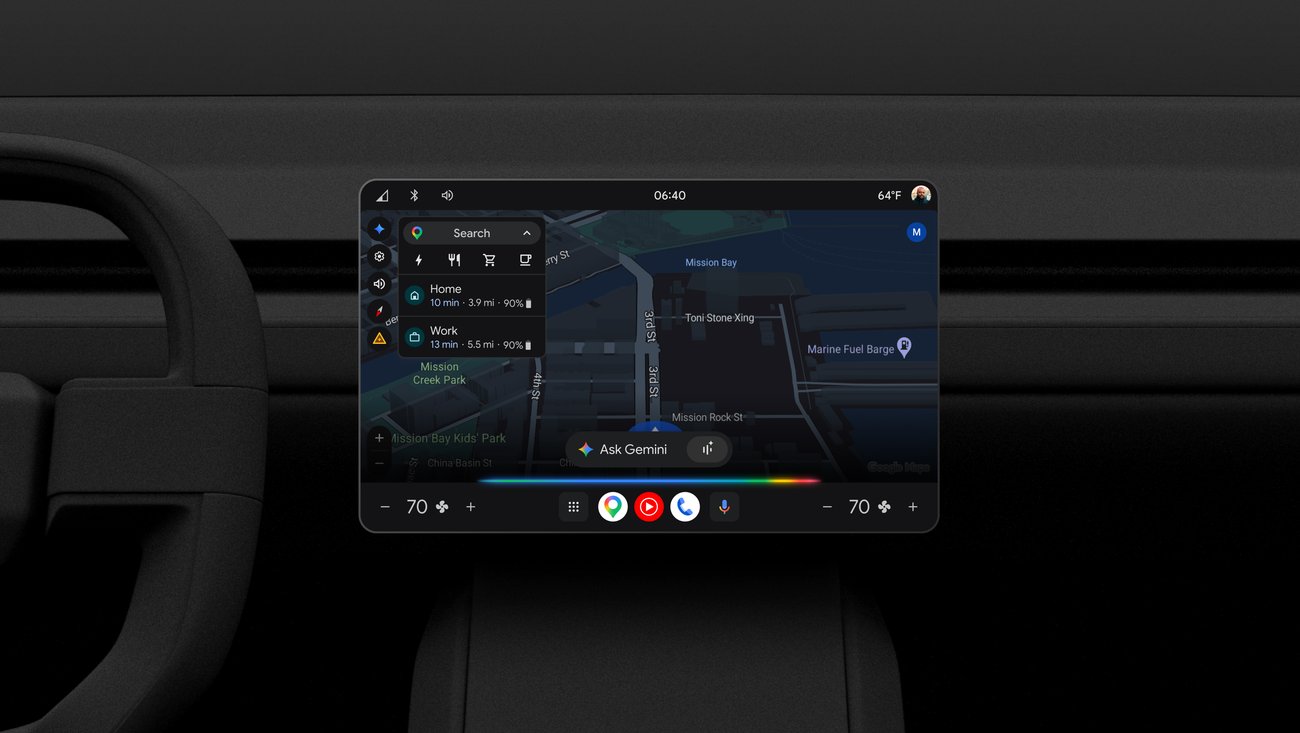
Google’s Gemini Enhances In-Car Experience with AI Integration
Google has introduced Gemini, an advanced AI assistant designed to enhance the driving experience by integrating seamlessly with modern vehicles. This innovative feature allows drivers to access tailored information about their cars, monitor electric vehicle (EV) battery status, and adjust vehicle settings using voice commands. The rollout began recently for eligible users who are signed into their Google Account within their vehicles.
Personalized Vehicle Insights
One of the standout features of Gemini is its ability to provide personalized answers based on specific car models. By utilizing manufacturer-provided owner’s manuals, Gemini can respond to a variety of inquiries that drivers may have about their vehicles. For instance, users can ask questions like, “How should I prepare my car for an automatic car wash?” or “My garage ceiling is low and the trunk is hitting it. How do I program the trunk so it doesn’t open all the way?” This tailored approach ensures that drivers receive relevant and accurate information, although the depth of insights may vary depending on the brand and model of the vehicle.
Real-Time Electric Vehicle Monitoring
For electric vehicle owners, Gemini offers real-time insights into battery status, which is crucial for planning trips effectively. Drivers can inquire about their current battery level or what to expect upon arrival at their destination by asking questions such as, “What’s my battery on arrival?” Additionally, if a driver needs to locate a charging station, they can simply say, “Find a charger nearby,” and Gemini will utilize Google Maps to suggest convenient options. To further enhance this experience, users can ask about nearby amenities while charging by saying something like, “Are there any cafes near my destination while I charge?” This functionality not only saves time but also makes long journeys more enjoyable by allowing drivers to plan stops efficiently.
Comfort and Convenience Features
Gemini also focuses on enhancing comfort within the vehicle. For example, if a driver feels chilly and wants to adjust the climate control settings, they can express their discomfort by saying, “It’s foggy and freezing in here,” prompting Gemini to automatically increase the heat and activate the defroster. This level of intuitive interaction aims to create a more pleasant driving environment without requiring manual adjustments from the driver.
Accessing Gemini in Your Vehicle
Eligible users who wish to upgrade to Gemini must be signed into their Google Account within their car. Once upgraded, accessing Gemini is straightforward; drivers can activate it by saying “Hey Google,” tapping the microphone icon on the home screen, or using a button on their steering wheel. This ease of access ensures that drivers can utilize these features without distraction while on the road.
The Future of Gemini
The capabilities of Gemini are set to expand further in the near future. Plans include adding support for more languages and countries, as well as enabling drivers to safely access information from applications such as Gmail, Calendar, and Google Home directly through their vehicles. This expansion will likely enhance user experience significantly by integrating more aspects of daily life into the driving routine.
What This Means
The introduction of Google’s Gemini marks a significant step forward in automotive technology by leveraging artificial intelligence to create a more connected driving experience. With personalized insights and real-time monitoring capabilities, drivers can enjoy enhanced safety and convenience during their journeys. As this technology evolves and expands its functionalities across different regions and languages, it promises to redefine how drivers interact with their vehicles in everyday scenarios.
For more information, read the original report here.







