






























Google Introduces AI Skills Feature in Chrome for Enhanced Productivity
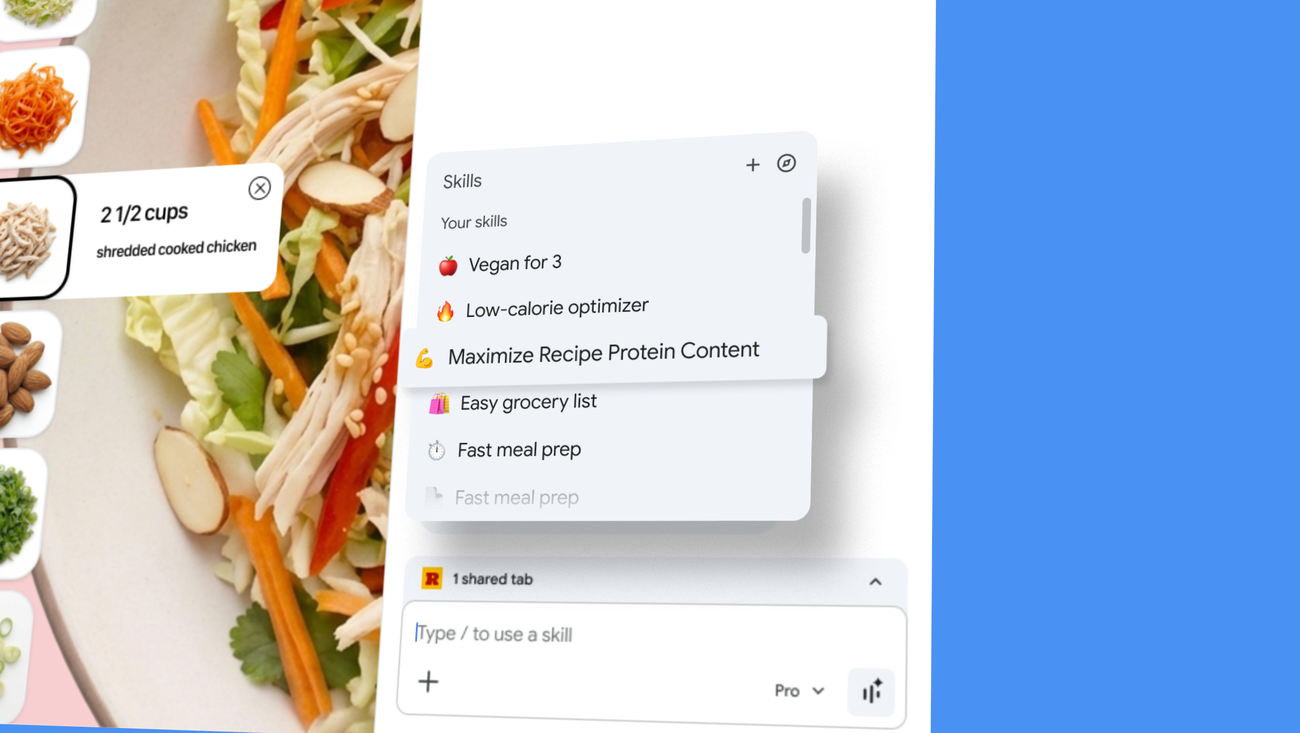
Google has unveiled a new feature called Skills in Chrome, aimed at enhancing user productivity by allowing individuals to save and reuse AI prompts with just a click. This innovation, announced recently, addresses the challenges users faced when repeatedly entering the same AI queries while navigating different web pages. By streamlining this process, Google aims to make web-based tasks more efficient and user-friendly.
Streamlined Workflow with One-Click AI Prompts
The Skills feature allows users to save specific AI prompts directly from their chat history in Chrome. For instance, if a user frequently requests ingredient substitutions for vegan recipes, they can save that prompt as a Skill. When they need it again, they can simply type a forward slash (/) or click the plus sign (+) button to run the saved Skill on the current page or across multiple tabs. This functionality not only saves time but also reduces the frustration of re-entering prompts for similar tasks.
Practical Applications of Skills in Chrome
Early testers have already begun leveraging the Skills feature to create customized workflows that cater to various needs. The versatility of this tool is evident in its application across different domains. Here are some notable examples:
- Health & Wellness: Users can quickly calculate protein macros for any recipe, making meal planning more efficient.
- Shopping: Skills can generate side-by-side specifications comparisons across multiple tabs, aiding consumers in making informed purchasing decisions.
- Productivity: The feature enables users to scan lengthy documents for important information, significantly reducing time spent on document review.
User-Friendly Interface and Flexibility
The interface for managing Skills is designed to be intuitive. Users can easily edit their saved Skills or create new ones at any time, ensuring that their workflows remain relevant and tailored to their changing needs. This flexibility allows individuals to adapt their use of AI as their tasks evolve, making it a valuable tool for both personal and professional applications.
The Future of AI Integration in Browsers
The introduction of Skills in Chrome marks a significant step toward deeper integration of artificial intelligence into everyday web browsing experiences. As users increasingly rely on AI for information retrieval and task management, features like this will likely become essential components of browser functionality. Google’s initiative reflects a broader trend within the tech industry to enhance user engagement through personalized experiences driven by AI technology.
What This Means
The launch of Skills in Chrome signifies a pivotal moment for productivity tools within web browsers. By enabling users to streamline repetitive tasks through saved AI prompts, Google is not only improving efficiency but also enhancing the overall user experience on the web. As more individuals adopt this feature, it could lead to a shift in how people interact with online content and utilize artificial intelligence in their daily activities.
For more information, read the original report here.







