
































Android Emulators For MacBook M1
The M1 chip has taken the market by storm. It was introduced with MacBook and now M1 MacBooks are some of the best laptops...

Fix Weather Widget Not Showing On Taskbar Windows 11
Windows 11 is loaded with many new features. Additionally, with each new update, the OS gets the latest features as well as fixes for...
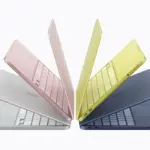
Apple MacBook Neo: Everything You Need to Know
.hd-table-wrap {
overflow-x: auto !important;
overflow-y: visible !important;
-webkit-overflow-scrolling: touch !important;
width: 100% !important;
display: block !important;
}.hd-table {
...

How To Play Background Sounds On macOS Ventura
You no longer need a separate application on your Mac only to play background music. With the release of the iPhone last year, Apple added...

How To Change The Font Of iOS Message
The font of iOS message and texts is quite small, and while this may be fine for some users, it's simply too small for...
Set Up Facial Recognition Sign-in For Account In Windows 11
Read this article to know how to set up facial recognition sign-in for account in Windows 11.Passwords are a thing of the past. You...
Set Up Parental Control On Windows 11- An Ultimate Guide!
Parental control is a great way to supervise your child's activities on various gadgets. Additionally, with this option turned on, you can also block...
How To Check If Your PC Is Compatible With Windows 11 22H2
You can check a few Registry strings to determine if your computer running Windows 11 is compatible with the 22H2 version. Instead of using...
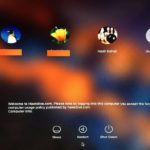
All admin accounts changed to standard on Mac
When you bring a brand new Mac or set up your Mac OS X for the first time after clean installation, your initial account...

How To Capture Screenshots On Mac
Capture screenshots on Mac is a convenient tool to collect the information. A crucial skill for any Mac user, whether it's tickets to a...