

































How To Change Country Or Region In Windows 11
Change Country Or Region In Windows 11
Microsoft said in 2015 that Windows 10 would be the last version number for the operating system. Many...
How To See List Of Available Restore Points In Windows 11
A restore point is a useful feature of System Restore that creates a type of snapshot of the software, registry, and driver configuration on...

Touch Screen Gestures Windows 11- Ultimate Guide
This article will discuss various touch screen gestures that can be used on Windows 11. Obviously, for using touch screen gestures. your devices must...

How To Use Apple Translate App On iPhone: iOS15
In iOS 14, Apple introduced the Translate app with the voice translation feature that could translate text and voice commands. So even when your...
iOS 15.4.1: How To Change Bluetooth Device Label On iPhone
This article will explain to you everything to change Bluetooth Device Label on iPhone. Since, Some Bluetooth products, such as speakers, headphones, keyboards, and...
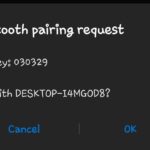
How To Pair Android Phone Via Bluetooth With Windows 11 PC
In the current era, mobile phones have seamlessly woven themselves into the fabric of our daily existence. As the prevalence of smartphones resumes to...

4 Techniques To Fix No Audio On WhatsApp Desktop On Macbook Air
WhatsApp has a Windows and Mac desktop application. While the WhatsApp Web browser extension does not offer audio or video calls, the desktop client...
How To Remove “System Requirements Not Met” Watermark On Windows 11 Desktop
Windows 11 isn't recommended for computers that don't meet the minimum system requirements, something Microsoft had previously warned against. You may have to deal...
How to mount USB or external drive in Single User Mode on Mac?
This article is specially written for those who are unable to boot their Mac in normal mode or Mac boot process stuck at grey screen...

macOS Sierra: ” Your Startup Disk Is Almost Full ” message – How to...
Does your macOS Sierra say : " Your Startup Disk is Almost Full " Learn how to fix it before it leads to any...