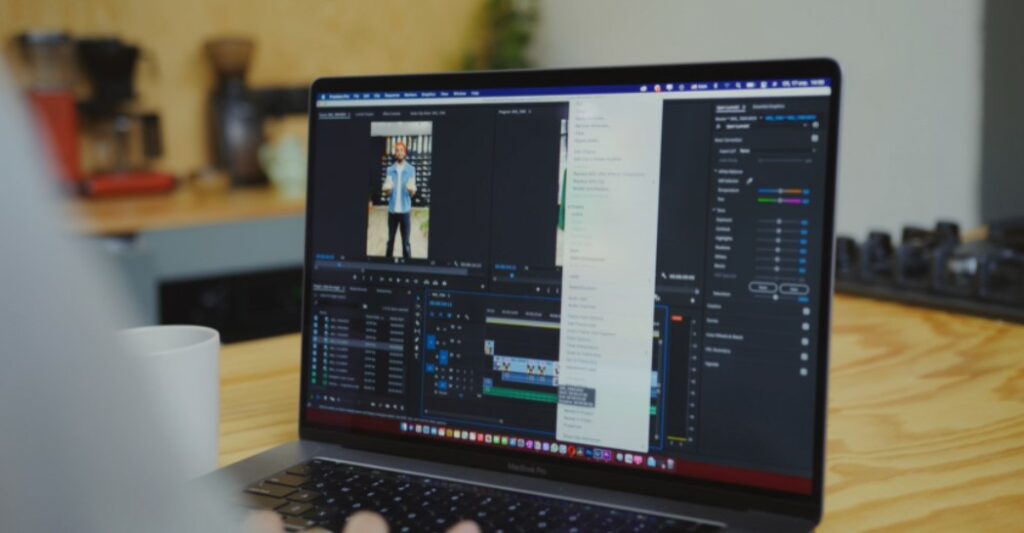
The DJI Mavic 3 drone has gained immense popularity for its impressive capabilities and high-quality video output. However, recently many Apple users have encountered a frustrating issue where the 5.1K D-Log MP4 videos captured by the Mavic 3 drone refuse to work properly in Final Cut Pro 10.6.6 and macOS Venture 13.4. The affected videos only display a black screen, rendering them unusable for editing or playback.
Many Apple users have been facing similar issues and mentioned on official forums such as the Apple community and DJI Forum that their videos are just showing black screens whenever they try to play it on Final Cut. This unexpected problem left content creators searching for a solution to regain access to their valuable footage.
Luckily, after a thorough exploration of various platforms, we have found a conceivable fix for this problem. Hence, in this post, we will probe into the particulars of the issue, and dig into the measures pursued by the community to resolve it. And also throw light on the workaround that authorizes users to once again utilize the full potential of their DJI Mavic 3 drone footage within their editing workflows.
What Causes the “DJI Mavic 3 drone 5.1K D-Log mp4 video not working in Final Cut Pro 10.6.6/macOS Venture 13.4” to occur?
The specific reason for the occurrence of the problem where DJI Mavic 3 drone 5.1K D-Log MP4 videos do not work in Final Cut Pro 10.6.6 and macOS Venture 13.4 can alter and may involve a combination of factors. However, based on the facts provided, there are a few probable rationales:
#1. Codec Compatibility
One of the most probable reasons is a compatibility issue between the H.264 codec used by the DJI Mavic 3 drone for recording 5.1K D-Log MP4 videos and the software versions of Final Cut Pro and macOS Venture. The updated versions of these software applications might not be fully compatible with the specific encoding settings or features of the H.264 codec.
Another factor mentioned in the solution is the use of 5.1K D-Log footage. Playback of 5.1K D-Log files in H.264 codec can sometimes be problematic, as certain software or hardware configurations may not handle this combination well. It’s possible that the updates to Final Cut Pro, macOS Ventura, or other related components have introduced issues with playing back this specific combination of codec and bit depth.
Also Read- iPad Final Cut Pro & Logic Pro ANNOUNCED! – Release Date, Price & Features
#2. Software Bugs
It’s furthermore worth considering the possibility of a software bug introduced in the updated versions of Final Cut Pro as well as macOS Venture, or related components. Occasionally, new updates can inadvertently present compatibility issues or bugs that impact specific workflows or features.
Other than that, there could be additional factors or settings specific to the user’s system, such as hardware limitations as well as conflicting software configurations, or perhaps specific project settings within Final Cut Pro that could contribute to the issue but the above-mentioned issues are the most important factors causing this issue to occur.
Now that we have discussed what might be issues and factors causing this problem to occur, let’s move on to look at the possible workaround for the above-mentioned issue.
Possible Fix For The “DJI Mavic 3 drone…………….macOS Venture 13.4” Issue
Before we begin with the major fixes to resolve this solution, consider trying these initial fixes which might be causing this problem:
- Restart Your Mac
- Make sure all your softwares are updated
- Ensure that your mp4 video files are not damaged or corrupted
Transcode with HandBrake
To make the existing 5.1K D-Log MP4 videos compatible with Final Cut Pro and macOS Venture, use a third-party software tool called HandBrake to transcode the problematic clips. This involves converting the videos from the original H.264 codec to a different format, preferably H.265. HandBrake provides options for adjusting video codecs and settings during the transcoding process.
If you don’t know about the HandBrake tool. It is a flexible software tool specifically developed for converting videos from diverse formats into a wide range of widely endorsed codecs. You can effortlessly utilize HandBrake to transcode your video files. By pursuing the steps mentioned down below, you can ensure compatibility and enjoy your videos across different devices and platforms.
- First, you need to download HandBrake from the official website using the attached HandBrake Link.
- Next, launch HandBrake, and it will prompt you to choose the file you want to transcode. Then, you have to select the desired file and click Open. If it doesn’t prompt you automatically, you can tap the Source button located in the top left corner.
- Now, in the Output Settings section, you require to select MP4 Video (H.265) from the Format drop-down menu.
- After that, you need to click Browse next to Destination to choose the location where you want the transcoded MP4 file to be saved upon completion.
- Now, if you want to reduce the video file size, you can modify the video quality. You have to click the Video tab and adjust the Constant Quality slider to the left, moving it further left will result in more compression. After that you’ve set the destination and made any desired compression adjustments, click the Start button to begin transcoding the video into an MP4 format.
- Finally, depending on the duration of the file, the transcoding process may take some time. Once finished, the transcoded MP4 file will be located in the folder you specified as the destination.
Using this method, your videos will not be wasted and can be played by transcoding them using the HandBrake tool. Also, these are the standard steps required to transcode videos using HandBrake, you can adjust the process according to your requirement.
Also Read- Mastering iPhone Shortcuts & Automation.
Use H.265 for Future Recordings
Most users indicated that playback of 10-bit or 5.1 K D-Log footage in h.264 format tends to be problematic. Instead, they instructed utilizing the h.265 codec, which is considered superior and more compatible with Mac systems. The user advised changing the codec settings on the DJI Mavic 3 drone to h.265 for future recordings to avoid playback issues.
Thus, going forward, you require to utilize the H.265 codec for recording video with the DJI Mavic 3 drone. This guarantees compatibility with Final Cut Pro, macOS Venture, and additional corresponding software.
Lastly, report the problem straight to Apple through their feedback channel as well as report this issue on DJI Forum as well. By submitting feedback, you can effectively bring the issue to users’ attention so they can equip you with instantaneous responses if they have faced the same issues in the past. More importantly, it will bring the issue to Apple’s attention and increase the chances of them recognizing and addressing it in forthcoming updates.
Conclusion
In conclusion, the issue of the DJI Mavic 3 drone 5.1K D-Log MP4 video not working has been identified by users. The problem seems to be related to the combination of h.264 codec and DLog footage, causing playback issues. It has been suggested to use the h.265 codec for future recordings, as it offers better compatibility with Mac.