
































Wi-Fi Not Working On macOS Ventura [100% Working]
In this article, we have put down the different hacks that can help resolve the Wi-Fi not working on the macOS Ventura issue.Have you...

Unable to open iTunes-The iTunes Library file is locked on a locked disk
Issue : Unable to open iTunes.When you open iTunes it gives you error message "The iTunes Library file is locked, on a locked disk, or you...
macOS Ventura-External Drive Ejecting (Solved)
Are you facing the issue of the external drive ejecting during sleep in your macOS Ventura? Then you're not the only one. Anyone who...
Quick Assist In Windows 11: How To Use It
The best way to help someone with their computer is if you're sitting right next to them. You just show them how it's done...
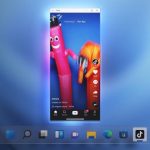
How To Sideload Android Apps In Windows 11
Read on here to know how to sideload Android Apps in Windows 11. Windows major release is full of features and new functionalities. Be...

macOS Monterey: 30 Tips, Tricks And Features You Should Have Missed.
macOS Monterey 30 tips and tricksA slew of new features in MacOS Monterey. There's a lot to discover in the new Mac operating system...
How To Add Or Remove Address Bar In Registry Editor In Windows 11
The Registry Editor in Windows 11 is a powerful tool that allows users to view and modify system settings stored in the Windows Registry....
Change Image Settings For Camera In Windows
Change Default image settings for the Camera in Windows 11
The presence of cameras on our system has made a dramatic difference in our lives....
How To Take Screenshots In Windows 11
There are several reasons why you need to take screenshots on a PC running on the beta version of Windows 11. Maybe you want...
How To Enable Or Disable Voice Focus To Reduce Microphone Background Noise In Windows...
With the growing importance of video calls, remote meetings, and online communication, clear audio quality has become a priority for Windows 11 users. One...