































How To Enable And Use 5G On Your iPhone 13
In this article, you will get to know how to enable and use 5G on your iPhone 13.
Apple has already launched 2021’s flagship iPhone...

How To Mirror iOS Device To Windows PC | Wired/Wireless
Are you looking to cast or mirror your iPhone or iPad screen on your Windows PC? Whether you want to watch movies, play games,...

How To Enable The ‘Mail Privacy Protection’ Feature On iPhone And Mac
Apple is always known to always work for protecting the privacy of its users. The ‘Mail Privacy Feature’ of its latest iOS 15 and...
All About Safety Check Feature In iOS 16
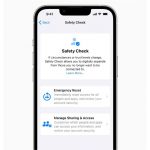
In this guide, we will explain everything you need to know about the Safety Check feature in iOS 16.Apple has unveiled the latest iOS...

iPhone 14 Overheating Issue- Finally Solved With Quick Steps
The much-awaited iPhone 14 series has been launched, and users are exhilarated to get their hands on the latest technology. Nonetheless, with each new...
How To Enable App Privacy Report On iPhone To Check Apps Tracking You
Any user's privacy is really important. Apple revealed the app privacy report as a feature for its iOS version in 2021. It's one of...

How To Add A Background To Safari In iOS 15
A completely new Safari is one of the biggest changes that has come with iOS 15. The all-new browser places the search/tab bar to...

How To Block Websites On iPhone And iPad
If you want to know how to block websites on your iPhone or iPad, it's likely that you've seen one you don't want to...

How To Sign A Document On iPhone 13, iPad, And Mac
We often need to sign digital documents like agreements, receipts, invoices, and even self attest documents. However, we do not know how to create...

Mastering iPhone Shortcuts & Automation.
Shortcuts are a powerful tool for automating tasks on your Apple device. With a simple button press or voice command, you can effortlessly execute...