
































File Explorer Not Responding In Windows 11 [Solved]
Windows is open the most popular operating system worldwide and Microsoft has recently released the latest version of Windows.
Windows 11 boasts of a modern...

How To Fix A Read Only External Hard Drive On Mac
In this article, we have put down the potential fixes to resolve the Read Only External Hard Drive on Mac.Mac is a robust machine...

[Fixed] WindowServer Crashing After Upgrading To macOS Ventura
Scroll down and check out the fixes for resolving the WindowServer crashing after upgrading to the macOS Ventura issue.On the device, every activity is...

How To Recover Corrupted Excel File in Windows 11
Just like any other Microsoft application, even Excel is not without its flaws. You are bound to run into software errors time and again...

Cannot Sign Into iMessage On macOS Ventura [Fixed]
In this guide, we will explain how to resolve the issue of cannot sign into iMessage on Mac running on macOS Ventura.You must...

How To Change Default Input Method Override In Windows 11
Change Default Input Method Override in Windows 11If you have the English version of Windows 11, the language you use to type is English....
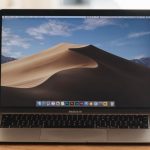
8 Ways To Use The macOS Recovery Tool On Mac
Apple recovery is a handy tool that allows you to perform several functions such as reinstalling the operating system, restoring the backup from the...

[Fixed] ‘System Has Run Out Of Application Memory’ Error On Mac
macOS Monterey is the latest and ironically the most bug-ridden macOS version to date. Users are constantly frustrated by one or the other error...

How To Get macOS’ Live Text Feature In Windows
Live Text Feature in WindowsTo copy, translate, or look up text that is in an image with Apple's Live Text feature, you just need...

Microsoft’s Blue Screen Of Death Will Be Changing To Black In Windows 11
The American tech giant Microsoft, is determined to give the new Windows 11 a makeover from start to finish. So, on June 24th, the...