


































Magic Mouse Not Working In macOS Ventura [Fixed]
In this guide, we have discussed the various methods to fix the magic mouse not working issue in macOS Ventura. Are you facing issues...
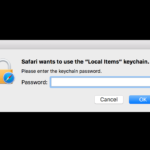
Safari Wants to Use Your Confidential Information Stored in ‘website’ in Your Keychain
Keychain Access is a Mac OS X application provided by Apple that allows you to view and edit the contents of a keychain file...

How to fix Weather gadget could not connect to service error?
Issue: Windows Vista and Windows 7 sometimes have problem with Windows Live Gadget as it does not work and gives error message- " Could...

How To Change Mac Address In Windows 11
Mac address is a unique physical identifier for devices connected to a network. This address is assigned to all network devices like computers, mobiles...

How To Factory Reset Your MacBook
Factory reset your MacBook is no more a big task for apple users now. Do you feel like you've outgrown your MacBook Air or...

Mac Mini Is Too Slow After The macOS Ventura Update
In this troubleshooting guide, we have listed the methods to speed up the slow Mac mini after installing the latest macOS Ventura on your...

How To Transfer Files From Mac To iPad Or iPhone And Vice Versa.
We all need to transfer files from our iPhone or iPad to our MacBook for various reasons. We might need to copy a file...

How To Install XAMPP On My Macbook Air M1 chip
When building and testing online applications, many programmers turn to XAMPP, one of several popular cross-platform web servers. Its native source code, created by...

10 New features Introduced In Copilot In Excel -Updated Nov 2024
In the ever-evolving landscape of data analysis, Microsoft Excel continues to stand as a pillar of productivity and versatility. With the integration of Copilot...

Tips To Speed Up Mac After Installing macOS Monterey
In this article, we have put down several tips to speed up Mac after installing macOS Monterey.Installing the latest macOS and using the latest...