



































How To Fix The 0x8000ffff Error Code On Windows 11 PC
In this troubleshooting guide, we have put down the different methods that can help you fix the 0x8000ffff error code on Windows 11 PC.
It’s...

Pinch To Zoom Not Working On macOS Ventura: Issue solved
The MacOS Ventura operating system offers users the ability to perform a range of actions using a Multi-Touch trackpad or Magic Mouse. These actions...

How To Uninstall Or Reinstall Recall In Windows 11
Recall is a useful feature in Windows 11 that allows users to remember and restore recent actions, tasks, or system states. However, there may...

UUP Dump: How To Download Windows Insider ISO Files Step By Step
Downloading Windows Insider ISO files can be a complex task, especially if you're not sure where to find them. One of the most reliable...

How To Hide Or Show Uninstalled Products In Microsoft Store App Library In Windows...
The Microsoft Store app in Windows 11 is the central hub for downloading, updating, and managing apps and games. Over time, your Library within...

How To Mirror iOS Device To Windows PC | Wired/Wireless
Are you looking to cast or mirror your iPhone or iPad screen on your Windows PC? Whether you want to watch movies, play games,...

Download And Install macOS 13 Ventura Developer Beta On Mac
Apple in the recent WWDC presentation has broadcasted the latest versions of their operating systems including the macOS13 venture. This includes many new features,...

[Fixed] Trackpad Not Working After Installing macOS Monterey
In this article, we have listed down the methods to troubleshoot the Trackpad not working after installing macOS Monterey.macOS Monterey is full of bugs...

How To “Allow” 3rd Party Apps In Ventura 13.0?
The new multitasking features, updated applications, and improved platform capabilities are all part of Apple's macOS 13 Ventura, which debuted at WWDC 2022. There...
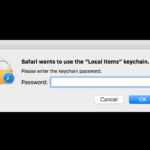
Safari Wants to Use Your Confidential Information Stored in ‘website’ in Your Keychain
Keychain Access is a Mac OS X application provided by Apple that allows you to view and edit the contents of a keychain file...