





























How to start windows Installer,Print spooler, Windows Audio or any other services in safe...
Safe mode starts Windows with a limited set of files and drivers. Startup programs don't run in safe mode, and only the basic drivers...
How To Fix High CPU Usage After Upgrading To macOS Monterey?
In this article, we will explain how can fix the high CPU usage after upgrading to macOS Monterey.Apple has released the latest macOS iteration...

How To Fix The Steam Compatibility Mode Error
In this article, we will see how to fix the Steam compatibility mode error in Windows 11.Steam is one of the most crowded gaming...
How To See What Is Taking Up Space On Drive On Windows 11
If you are wondering what is taking up space on your system, you can find quick answers using the storage article in this article....

iOS 16 Battery Life Draining Fast On iPhone: Issue Fixed
Several new and improved features have been added to iOS 16, which Apple has just revealed. Many people report that their batteries drain rapidly...

10 New features Introduced In Copilot In Excel -Updated Nov 2024
In the ever-evolving landscape of data analysis, Microsoft Excel continues to stand as a pillar of productivity and versatility. With the integration of Copilot...
Cursor moving and clicking by itself on Mac – Jumpy Trackpad issue
The trackpad and mouse are perhaps the most essential to every Mac users. Apple has always been different in developing its hardware part and always...
How To Create Check For Updates shortcut In Windows 11
Windows 11, like previous versions of Windows, regularly rolls out updates to improve performance, security, and usability. However, manually checking for updates via the...
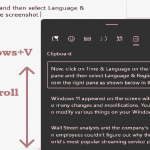
How To Use Clipboard History On Windows 11
By default, clipboard history can hole only one item at a time. However, if you turn on the Clipboard history option on your Windows...

How To Clean Install Windows 11
To make a clean installation of Windows 11, you have to wipe the computer's hard drive and install a new copy of the OS....