































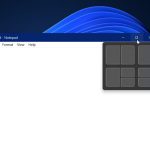
How To Use Snap Layouts In Windows 11
Microsoft’s Windows 11 is the upcoming version of Windows which is better known for the fresh design with round bordered windows and centered taskbar....
12 Common Windows 11 Issues And Fixes
Windows 11 is a bit of a mishmash. On the one side, many users would like to stay on Windows 10. Better window snapping...

Lost Ark Not Launching On PC? Try These Fixes!
If you love to play Lost Ark but the game is constantly crashing on your PC, don't worry we've got you covered. In this...

Is Mac Not Turning On After Update? Try These Fixes
In this article, we will see how to fix a Mac not turning on after installing an update.Rebooting or turning on a Mac is...

How To Back Up Your Mac With Time Machine In macOS Ventura
With Time Machine, your Mac has a built-in way to automatically save snapshots of your files, settings, apps, and system at regular intervals. You...

Finder Not Working In macOS Ventura [Fixed]
After installing the macOS Ventura Update, is your Finder not working? Try the fixes curated below to resolve the issue.Updates to macOS incorporate...
Windows 11 is coming with New Entertainment Widget
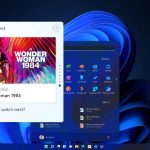
Microsoft just announced the release of Windows 11 Insider Preview Build 22000.71 for its users. It explains some changes, some known issues, and some...
How To Change Touch Keyboard Themes On Windows 11?
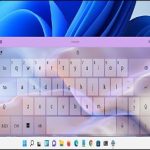
Windows 11 will be releasing on the 5th of October this year, and we can't wait. During the virtual launch event, Microsoft gave us...
How To Turn On or Off Hide Pointer While Typing in Windows 11
Generally, in windows 11, the pointer will go from one end of the document to the other whenever you write something into Microsoft Word...

Cannot Install MacOS Monterey on Mac? Try These Solutions
Apple has already released the macOS Monterey in the late fall of 2021 after releasing the software upgrade for its other devices like Apple...