
































4 Best Methods To Get Transparent Taskbar In Windows 11
People are impatiently awaiting the release of the official version of Windows 11 after receiving a preview of the build. Because many customers have...
How To Fix Microsoft Store Error 0x8D050002 In Windows 11
In this article, we will get to know how to fix the Microsoft Store error 0x8D050002 in Windows 11Microsoft Store is nothing new if...
How To Check If Your PC Can Upgrade To Windows 11?
Are you wondering if your Windows PC can upgrade to the free version of Windows 11? Well, believe me when I say this, you're...

How To Access The Protected WindowsApps Folder On Windows
In this article, we have mentioned the step-by-step process to access The Protected WindowsApps Folder On Windows PC.Windows has a particular WindowsApps folder, but...

How To Change Default Folder To Save Screen Recordings By Snipping Tool App In...
The Snipping Tool in Windows 11 is a versatile and user-friendly application for capturing screenshots and screen recordings. However, by default, Windows saves your...

MacBook Screen Stuck On Finder? Try These Fixes
The Finder is the first thing that appears on a Mac after booting, and it allows you to access files, directories, and apps. Occasionally,...

How To Boot Windows 11 In Safe Mode
Windows 11 is the latest version of Windows released by Microsoft in 2021. This version is quite impressive and users are parting ways with...

How To Share Files Via Nearby Sharing In Windows 11
Your Windows 11 feature has a mini tool that is of great help when you want to share files, photos, videos, and other documents...

How To Track Internet Usage On Windows 11
Even though most Internet Service Providers (ISPs) provide limitless internet connectivity (as long as you don't overuse it), you still may come into services...
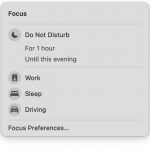
How To Turn Off Sound For Time Sensitive Alerts in macOS?
One of the newest additions to the iPhone and iPad is the ability to get time-sensitive notifications. The new Focus feature in iOS 15...