
































How To Show Or Hide Items In Disk Management In Windows 11
Managing your computer’s storage effectively is essential for maintaining optimal performance and organization. Disk Management in Windows 11 is a powerful tool that allows...
How To Run Older Software On Windows 11
Since Windows operating system has a huge user base, Microsoft does not discontinue its programs and software easily. But this is not the case...

Mouse Left-Click Not Working On Windows 11? Try These Fixes.
Many users after updating to Windows 11 are facing the issue of mouse left-click not working. So, in this article, we will be discussing...

Tips To Install PowerToys Group Policies In Windows 11
In the realm of productivity and customization, PowerToys has emerged as a powerful utility suite for Windows users. Developed by Microsoft, PowerToys enhances the...
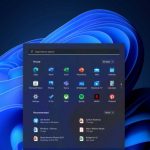
How To Customize The Taskbar In Windows 11?
Windows 11 is taking Microsoft users by storm after its virtual launch event. The new version of Windows has it all from various apps,...

How To Add “Find Empty Folders” Context Menu In Windows 11
Empty folders can clutter your system, making file management less efficient. Whether you're cleaning up old directories or trying to streamline your folder structure,...
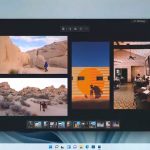
Hands On: Microsoft’s New Photos App For Windows 11
Microsoft is all set to unveil Windows 11 by the mid of October. Meanwhile, Microsoft is busy testing the apps like Snipping tool, MS...

How To Disable “Show More Options” Context Menu In Windows 11
Disable "Show More Options" Context Menu In Windows 11.As more people get their hands on Windows 11, a few are nostalgic, while others...

How To Turn On Or Off Auto HDR In Windows 11?
HDR in Windows 11: Use Brighter Colors and eye-catching visuals on your PC.
With PC gaming reaching ultra-levels of popularity, so is the want for...
Pin Android Apps From Your Phone To Start On Windows 11 PC
In this guide, you will get to know how you can pin android apps from Your Phone to Start on Windows 11 PC.Your Phone...