































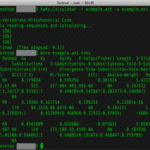
Sample of Mac Terminal Command in Recovery Mode
This is a reference to the article "Mac stuck on Gray Screen with apple logo during boot after installing macOS Sierra". These are the...
How To Add Or Remove Home In Navigation Pane Of File Explorer In Windows...
Navigating your files efficiently is crucial for productivity, and the Navigation Pane in Windows 11's File Explorer plays a pivotal role in this process....
6 Best Ways To Fix Time Sync Failed In Windows 11
In this article, we will be discussing the various ways to fix the issue of time sync failed in Windows 11.Configuring your PC to...

How To Use Track Changes In Apple Pages On Mac
In this guide, we have explained how you can use track changes in Apple Pages on Mac.Apple Pages is a go-to tool if you...
How To Reset All Task Manager Settings To Default In Windows 11
The Task Manager in Windows 11 is an essential tool that allows users to monitor system performance, manage running applications, and troubleshoot problems related...

External HDD Not Mounting After Ventura Update: Issue Solved
Have you recently upgraded your Mac to macOS Ventura only to find that your external hard drive is not mounting or functioning properly? You're...

How To Reset SMC NVRAM/PRAM On Your Mac
While Apple’s devices are very robust and rarely run into any issue, there are some strange times when your Mac starts acting up strangely....

How To Remove GoToMeeting From My Mac
GoToMeeting is a well-known web conferencing and video conferencing software that authorizes users to host and join online meetings, webinars, and video conferences. Besides,...

Windows Copilot PCs Are Here: Why the Snapdragon X Elite and NPUs Are the...
The future of computing is here, and it’s powered by AI. Microsoft’s Windows Copilot PCs are redefining what our devices can do, and at the heart...

How To Fix A Frozen Mac During An Update
macOS is a graphical operating system developed and provided by Apple, since 2001, for its Mac computers. It is the second most used desktop...