































How To Use Google Lens On PC
In this article, we will explain how to use Google Lens on PC. Google Lens has been a part of Android smartphones and iOS devices...

How to Enable Favicons or Website icons in Tab of Safari in macOS Mojave?
As we know that Apple has finally launched its new macOS version today which is know as macOS Mojave (ver 10.4). I have already...
How To Schedule Shut Down In macOS Ventura
If you have already updated your macOS to Ventura, you may have noticed that the Energy preference panel, which used to contain the option...

File “Can’t be Found” Prompts After Installing macOS Ventura 13.1: Solved
There is always a possibility that installing a new version of macOS will cause compatibility problems with your existing apps. But what should you...

macOS Ventura: How To Remove Auto Highlighting On Spotlight Results
Assume you use your Mac for both professional and personal reasons daily. In that case, you probably have many files, images, folders, papers, and...

How to add a custom message to your macOS Login Screen?
Have you ever noticed a Mac showing a custom "Welcome Message" before you can login, or have you ever accepted any fair computer usage policy before...
How To Remove Spyware On Mac?
Earlier, there was a notion that Mac computers do not get infected with viruses, spyware, and malware. But with the advancement of technology, hackers...

Unable To Find Admin Account In MacOS Monterey? Try These Fixes
It is well-known fact that you need to create an administrator account on your Mac to allow it to function properly. The administrator account...
Keep This In Mind Before Updating Your PC With Windows 11
As a Windows 10 user, you can update your PC with Windows 11 beta version. You can do this through the Windows Insider Preview...
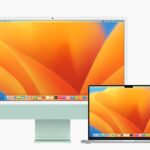
macOS Ventura: Schedule A Startup, Shutdown, And Restart
Do you need to schedule a startup, shutdown, or restart on your Mac computer running on macOS Ventura? If so, then this guide is...