
































How To Change Microsoft Edge Kiosk Settings In Windows 11
How to set up Microsoft Edge Kiosk Settings in Windows 11 is shown in this post for new users. It's possible to set up...

How To Use Alexa On Windows 11 PC
If you can’t afford the smart speaker powered by Alexa, there is no need to be sad! It is possible to use Alexa on...
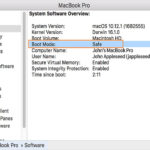
What is Safe Mode and How to start your Mac in Safe Mode?
You can use safe mode to help you resolve issues that might keep your Mac from completely starting up. Safe mode is a cure...

What Is Windows Copilot For Windows 11?
Windows Copilot is a revolutionary new feature launched by Microsoft as part of the Windows 11 operating system. The world of technology is constantly...

Hands On: Everything About CarPlay In iOS 16
CarPlay in iOS 16 is introduced by Apple Inc., the next edition of Apple CarPlay, at their annual Worldwide Developer Conference (WWDC). It is a conference...

8 Ways To Delete Temp Files In Windows 11
Want to Delete Temp Files In Windows 11? If you, like us, use your PC on a regular basis to surf the internet, watch...

Disable Quick Settings Through Registry Editor In Windows 11
Windows 11 from Microsoft comes with the special feature known as Quick Settings. This feature is enabled by default and can be accessed in...
7 ways to fix Microsoft Store Not Opening on Windows 11 issue
Here’s how you can resolve the Microsoft Store Not Opening on Windows 11 issue
Microsoft Store is the official marketplace of Windows for ages and...

Screenshots Not Working On Mac? Try These Fixes
In this article, we will explain all the potential fixes for the screenshots not working on the Mac issue.From the dedicated screenshot capturing tools...

How To Use Voice Access In Windows 11
Learn how to use Voice Access in Windows 11 to voice control your PC.Windows 11 is the newest and the most advanced the Windows...