



































[Fixed] Snap Layout Not Working In Windows 11
In this article, we have mentioned different solutions to resolve the snap layout not working in Windows 11 issue.Microsoft rolled out the latest iteration...
4 Best Ways To Delete Wi-Fi Network Profile in Windows 11
Wireless networks have names and passwords. When you connect to one, Windows saves these things so you can easily get them the next time...

How To Backup And Restore Device Drivers In Windows 11: A Step-By-Step Guide
In Windows 11, it’s crucial to have a backup of your device drivers to ensure that all hardware components—such as your graphics card, network...
How To Show Clock on Taskbars on All Displays in Windows 11
Let's get started with today's topic that is how to show Clock on Taskbars on All Displays in Windows 11.
Windows 11
Millions of PC users...
How To Search In Windows 11 File Explorer- A Detailed Guide
Windows 11 introduced a sleeker design and improved functionality, but some core tools remain as essential as ever, including File Explorer. File Explorer allows...
How To Uninstall Or Reinstall Recall In Windows 11
Recoll is a powerful open-source desktop search tool that allows users to search for files and text content on their computer quickly. It’s especially...

How To Add Take Ownership To Context Menu In Windows 10/11
In Windows 11, sometimes you may need full control over files or folders to modify, delete, or move them. One way to do this...

Top 10 Photo editing software for Windows
You don't get attention if you don't care about your images. This rule applies not only to businesses but to individuals. Whether you make...
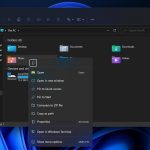
Microsoft Is Updating Right-Click Context Menus In Windows 11
Windows has always remained to be a stage for the world’s top innovation. It’s always become the support system of global businesses and where...

Duet Display On Windows 11-Know How To Use It [Plus A Free Alternative]
Do you want to improve your work efficiency and your ability to switch between different tasks using Windows 11? Duet Display is a powerful...