






























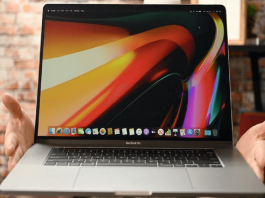

Custom Date Format Issue In macOS Ventura [Fixed]
After upgrading to macOS Ventura, several users are facing a custom date format issue. We have discussed the scenarios and proposed a temporary hack.Developers...

How To Change The Font Of iOS Message
The font of iOS message and texts is quite small, and while this may be fine for some users, it's simply too small for...

macOS 13.3 – USB Devices Become Unusable After A Few Hours: Fixed
Apple's macOS 13.3 update brought forth a spectrum of new features and improvements, enhancing the prevalent user experience. Nonetheless, for some users, this update...

Cannot Sign Into iMessage On macOS Ventura [Fixed]
In this guide, we will explain how to resolve the issue of cannot sign into iMessage on Mac running on macOS Ventura.You must...
After Updating macOS Ventura MacBook Keeps Using My iPhone As A mic (Solved)
Apple's new MacOS Ventura lets the iPhone act as a webcam by connecting wirelessly to a Mac. This way, you don't have to use...

macOS Ventura- After updating Slow Email Fetch Issue (Fixed)
In this article, we have mentioned the different fixes that can help resolve the slow email fetch issue in Apple Mail after updating to...
Fix System Restore Error 0x8000FFFF Catastrophic Failure On Windows 10/11
Error code 0x8000ffff is associated with various errors on Windows like Windows Media Player, Windows update, System restore, and others. But here we will...
How To Clone Windows 11 To SSD?
This article will make you learn how to clone Windows 11 to SSD without having to reinstall Operating System and prevent data loss. To...
How To Use Desk View With iOS 16 And macOS Ventura
Apple's Continuity Camera, available with iOS 16 and macOS Ventura, transforms your iPhone into a wireless camera for use with your Mac or MacBook....
How To Downgrade From macOS Monterey To Big Sur?
Do you want to downgrade from the latest macOS Monterey to Big Sur or Catalina? Then you're not alone, as many users are doing...