































5 Best Mac Cleaner Software & App In 2021
How often do you use Mac cleaner software to keep your computer free from bugs and junk? Once in a week? Once a month?...

Enable Or Disable Show Taskbar On All Displays In Windows 11
Enable Or Disable Show Taskbar On All Displays In Windows 11The taskbar on your computer may not be as customizable as it used to...
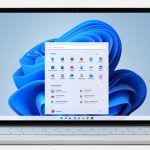
How To Show Clock on Taskbars on All Displays in Windows 11
Let's get started with today's topic that is how to show Clock on Taskbars on All Displays in Windows 11.
Windows 11
Millions of PC users...
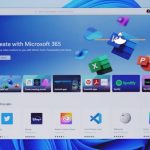
How To Fix ‘This App Can’t Open’ Error In Windows 11
Microsoft Store is an apt platform for downloading apps on your Windows 11 since you automatically receive updates via the application.
However, Microsoft Store has...

How To “Allow” 3rd Party Apps In Ventura 13.0?
The new multitasking features, updated applications, and improved platform capabilities are all part of Apple's macOS 13 Ventura, which debuted at WWDC 2022. There...

Customizing Your Windows ISO [Optimizing With NTLite]
Have you ever wondered about the possibility of crafting a personalized Windows installer with pre-applied optimizations even before installing it on your machine? Well,...

How To Find Application User Model ID (AUMID) Of Installed App In Windows 11
The Application User Model ID (AUMID) is an identifier used by the Windows operating system to identify installed apps, particularly those that are UWP...
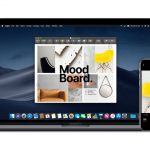
Everything About Continuity Camera Feature In macOS Ventura
macOS Ventura is already available for Mac users and has introduced several revolutionary features in the Apple ecosystem. Continuity Camera is one such feature...

How to speed up your Computer and clean it from all the Malwares, Spywares,Ransomwares...
Speed up or tune up a slow computer
Why does a computer run slow?A computer may run slow because of Two reasons, Hardware or Software. Hardware...

How to Fix Searching and Indexing issue and Rebuild the Index
Searching feature in windows is one of the greatest advantage. It lets you access your files quickly and easily without you peeping into different folders...