

































Remove “System Requirements Not Met” Watermark Windows 11
Hello, Windows 11 users! If the " System Requirements not met" watermark is troubling you. Don't worry! We've got you covered. This article is...
Apple Entry-level MacBook Pro M2 Has Slower SSD Speeds Than Its M1 Counterpart
The new M2 MacBook Pro is still hard to understand.
Overall, the new entry-level M2-powered MacBook Pro from Apple is more powerful than the M1...

How To Set Up 3 Monitors In Windows 10?
In 2021, workflow is the highest in comparison to before. Most of our activities are on our computers, forcing us to toggle between multiple...

Creating A Linux Virtual Machine [VMware Guide]
Linux is one of the most famous operating systems you will ever come by in your whole entire life, you will hear Windows, then...

How To Use ‘Hide My Email’ Feature In iOS 15?
Apple is all set to roll out the iOS 15 updates in fall 2021 with all of the useful and amazing features. In this...

How To Change The Size Of Taskbar Icons In Windows 11
The desktop of Windows 11 has been deliberately reimagined to enrich productivity, simplicity, and creativity. Upon logging in, users are welcomed with a streamlined...

How To Factory Reset Windows 11 PC
Factory Reset a Windows 11Windows 11 PCs can be reset to resolve problems or prepare them for sale. This clears all of your settings...
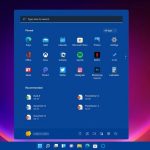
How To Remove “System Requirements Not Met” Watermark On Windows 11 Desktop
Windows 11 isn't recommended for computers that don't meet the minimum system requirements, something Microsoft had previously warned against. You may have to deal...

4 Ways To Find Your IP Address On Windows 11 PC
There are a lot of new features in Windows 11, but the core is mostly the same. I know that the Settings page looks...

How To See Hidden Files In macOS Monterey?
Below we have curated the different methods using which you can view the hidden files on MAc running on macOS Monterey.Numerous files are, by...