
































How To Save Windows Spotlight Images In Windows 11
Windows Spotlight is a fabulous feature of Windows 11 that automatically changes the wallpaper on the lock screen of your Windows device and displays...

How To Install Windows 11 On An Android Phone?
You can install Windows 11 on your android phone using the methods in this blog post. And while you are wondering if it's even...
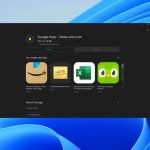
How To Install Google Play Store On Windows 11
Microsoft has introduced a feature that allows you to run Android apps on your Windows 11. It is possible to download Android apps using...
How To Fix A Stuck Pixel On Your Computer Screen?
A stuck pixel or dead pixel may not be potentially harmful to your computer. However, it can definitely annoy you and distract you while...
Credential Manager In Windows10 And 11- A Complete Guide
Credential Manager In Windows 10 and 11, is a useful tool for managing passwords and login information locally on a user's PC, although it...

Hard drive missing after Windows 11 update? Try these fixes
Are you facing Hard Drive missing after Windows 11 update issue? Look no further. In this article, I have put down some real fixes...
How To Clone Windows 11 To SSD?
This article will make you learn how to clone Windows 11 to SSD without having to reinstall Operating System and prevent data loss. To...

How To Search For Keys, Values, And Data Inside Registry Editor In Windows 11
Windows Registry Editor is a powerful tool used to view and modify the registry—an essential database that stores system configurations and application settings. Searching...

How to Fix Searching and Indexing issue and Rebuild the Index
Searching feature in windows is one of the greatest advantage. It lets you access your files quickly and easily without you peeping into different folders...
10 Things You Should Do After Installing Windows 11 In 2022
We're here to tell you about some changes that arrived in Windows 11 and here is a guide on the things you should prioritize...