


































How To Add Or Remove “Scan With Microsoft Defender” Context Menu In Windows 11
IntroductionWindows 11 provides enhanced security features that are integral to maintaining the integrity of your system. One of these features is Microsoft Defender,...
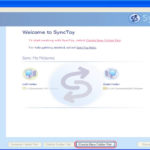
Backup your iTunes for Windows library with SyncToy 2.1
SyncToy 2.1 is a free application that synchronizes files and folders between locations. Typical uses include sharing files, such as photos, with other computers...
Windows 11 File Explorer Tabs Configuration Guide
Windows 11 File Explorer TabsWindows 11 now has a lot of new features that Microsoft has been working on for a long time. These...
How To Downgrade Windows 11 Pro To Windows 11 Home
Windows 11 comes in different editions, with Windows 11 Home being designed for casual users, and Windows 11 Pro catering to more advanced users...

How To Clean Install Windows 11
To make a clean installation of Windows 11, you have to wipe the computer's hard drive and install a new copy of the OS....
8 Reasons You Should Stop Using Windows 10 Right Away
More than 75 million computers around the world are already using Windows 10, which is a good sign for how long it will be...
How to downgrade Windows 11 to Windows 10
The first promotion of Windows 11 is finally out now. However, with all of the changes that the new operating system brought in. If...

How To Use DISM To Repair Windows Image
Explore the potent capabilities of the Deployment Imaging Service and Management Tool (DISM) within the realm of Windows troubleshooting. This guide navigates the process...
![Creating A Linux Virtual Machine [VMware Guide]](https://www.hawkdive.com/media/linux-150x150.jpg "Creating A Linux Virtual Machine [VMware Guide]")
Creating A Linux Virtual Machine [VMware Guide]
Linux is one of the most famous operating systems you will ever come by in your whole entire life, you will hear Windows, then...
How To Recover Your Deleted Files In Windows 11?
Time and again, we commit the mistake of deleting files and folders, thinking they are not important enough. Most of us do this to...