































How To Recover Your Deleted Files In Windows 11?
Time and again, we commit the mistake of deleting files and folders, thinking they are not important enough. Most of us do this to...

Steps To Perform A Clean Boot On Windows 11 ( Simplified)
Clean Boot allows you to easily spot software conflicts. It launches Windows with the bare minimum of drivers and startup programs. It helps you...
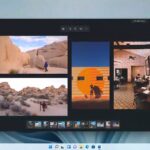
Enable Or Disable Location Based Features For Photos App In Windows 11
In today’s digital era, managing and enhancing digital content has become more intuitive thanks to advancements in technology. The Windows 11 Photos app is...

How To Change Mouse Speed Easily And Quickly In Windows 11
In this article, we have discussed how to change mouse speed easily and quickly. The mouse is a vital component on computers running the...

autopilot.dll wil error Reported On Windows 11- Issue Solved
Lately, it seems that some Windows 11 users are undergoing persistent issues with Autopilot.dll, precisely linked to the indexing of WIL data. This could...

How To Find All Symbolic Links And Junction Points In Windows 11
Navigating the intricate file systems of Windows 11 can sometimes lead you to encounter symbolic links and junction points—features that enhance flexibility but can...
How To Add Or Remove Home In Navigation Pane Of File Explorer In Windows...
Navigating your files efficiently is crucial for productivity, and the Navigation Pane in Windows 11's File Explorer plays a pivotal role in this process....
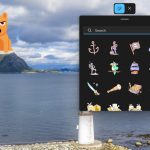
How To Enable Or Disable Desktop Stickers In Windows 11
Normally you use stickers on all of your social texting apps such as Whatsapp, Instagram, etc. How fun it will be to use the...
How To Remove Duplicate Files In Windows 11
By default, there is no direct way to spot and remove duplicate files in Windows 11. However, you can utilize various techniques to do...
5 Ways To Fix “Error 0x80004005” On Windows 10/11
Some Windows 11 users have recently reported encountering error code 0x80004005 when attempting to update their operating system or activate it. Windows is notorious...