

































Apps Won’t Restore In Windows 11- Issue Solved
Are you having trouble with apps not restoring on your Windows 11 device? This can be a frustrating issue as it can prevent you...

How To Change Default Input Method Override In Windows 11
Change Default Input Method Override in Windows 11If you have the English version of Windows 11, the language you use to type is English....
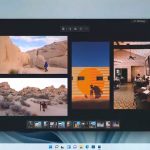
Hands On: Microsoft’s New Photos App For Windows 11
Microsoft is all set to unveil Windows 11 by the mid of October. Meanwhile, Microsoft is busy testing the apps like Snipping tool, MS...

Microsoft Reveals- How Windows 7 Users Can Upgrade to Windows 11
Windows 11 will be released next week, and a leaked version of the operating system is already making the rounds on the internet, indicating...

Fixed: Windows 11 Doesn’t Support A Processor Error
In this article, we will explain how to fix Windows 11 which does not support the Processor Error that is annoying many users worldwide. After...

6 Best Fixes :Thumbnail Not Showing Windows 11
Thumbnail previews are super helpful. A Thumbnail preview is a miniature representation of a file. So, you don't need to open every file to...

How To Use Credential Manager In Windows 11
In this article, we have explained how to use Credential Manager in Windows 11.Tired of remembering the login credentials for the Microsoft apps? Credential...

Show Language Bar on Desktop or Taskbar in Windows 11
In this article, you will get to know how you can easily show the Language bar on Desktop or Taskbar in Windows 11 in...

How To Change Display Language in Windows 11
Change Display Language in Windows 11
Windows 11 is the first latest version of Microsoft's operating system to have a number in more than six...

Two-finger pinch zoom stops working: fixed
if you are using a Multi-Touch trackpad, you can zoom in or out of the displayed content on your Mac by pinching with two...