
































How To Fix A Keyboard That Types Multiple Letters In Windows 10
Keyboards are one of the most important peripheral devices that helps you give input to your system. The most important task that a keyboard...

How to Cast Oculus Quest 2 On TV ?
In this guide, we will explain how can you cast Oculus Quest 2 on TV screens.Even though Virtual Reality may seem to be one...
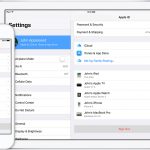
5 Ways To Fix “Apple ID Has Not Been Used In The iTunes Store”...
Facing the Apple ID Has Not Been Used in the iTunes Store issue, try the fixes listed here. If you have recently created a...

10 Reasons You Should Use An Apple ID on Your New Mac
When you purchase a new Mac, one of the first things you'll want to do is create an Apple ID. An Apple ID is...

How To Boot Windows 11 In Safe Mode
Windows 11 is the latest version of Windows released by Microsoft in 2021. This version is quite impressive and users are parting ways with...

9 Ways To Fix External Monitor Not Working After macOS Monterey 12.3 Update
macOS 12.3 has just been released by Apple, and it has a lot of new features and one of the most-anticipated features, called Universal...

How To Remove Language In Windows 11
Remove Language In Windows 11
Windows 11 is all about making the Windows user interface better through a completely new layout. Some examples of this...

How To Hide Or Show Uninstalled Products In Microsoft Store App Library In Windows...
The Microsoft Store app in Windows 11 is the central hub for downloading, updating, and managing apps and games. Over time, your Library within...
How To Turn On Or Off Tablet-Optimized Taskbar In Windows 11
Microsoft unveiled a new touch-optimized taskbar specifically designed for 2-in-1 devices in its Windows 11 build 22621.1344. Furthermore, the 2-in-1 devices now have a...

Screen Saver Only Working On One Monitor- macOS Ventura
With the increasing prevalence of multi-monitor setups, users expect their operating systems to seamlessly accommodate this configuration. However, some macOS Ventura users have recently...