






























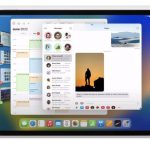
Stage Manager In macOS Ventura :How To Use
In this article, we will explain how you can use the latest Stage Manager feature of macOS Ventura for multitasking. While working on Mac, you...

How To Change Display Language in Windows 11
Change Display Language in Windows 11
Windows 11 is the first latest version of Microsoft's operating system to have a number in more than six...

How To Fix “USB Accessories Disabled” On Mac
USB Accessories DisabledIf there was a poll to determine the most common Mac error, the USB accessories disabled notice would be a strong contender....
How To Use iMessage On Android And Windows
iMessage is an Apple-developed app that allows you to send text messages, videos, photos, and audio clips over a Wi-Fi or cellular data connection....

Sidecar Not Working On Mac And iPad-Fixed
To what purpose does the Sidecar serve?
A two-monitor setup is becoming more common in professional settings, and Apple made Sidecar to make it easier...

iOS 15 Battery Drain Issue? Tips To Improve Battery Life On iPhone
Not even a month has passed since the official announcement of iOS 15 by Apple and users have already reported several bugs in it....

How To Remove GoToMeeting From My Mac
GoToMeeting is a well-known web conferencing and video conferencing software that authorizes users to host and join online meetings, webinars, and video conferences. Besides,...

How To Add Or Remove “Edit with Photos” Context Menu In Windows 10 And...
The "Edit with Photos" context menu option in Windows 10 and Windows 11 provides quick access to the built-in Photos app for editing images....

macOS Ventura Could Not Be Verified Error [Fixed]
If you encounter, an update installation that failed with the macOS Ventura could not be verified error on your device, try the fixes listed...

macOS Ventura Update Hangs: Issue Fixed
Still, using the older version of macOS on your Mac because your Mac got hung up while updating? Annually, Apple introduces a primary macOS...