
































How To Disable “Show More Options” Context Menu In Windows 11
Disable "Show More Options" Context Menu In Windows 11.As more people get their hands on Windows 11, a few are nostalgic, while others...

How To Use Focus Sessions To Boost Productivity In Windows 11
If you are using the latest Windows 11 Insider Preview Build 22000.160, you might have come across a new ‘Focus sessions’ feature. The Focus...
How To Enable Or Disable AutoSuggest In File Explorer Address Bar In Windows 11
In Windows 11, File Explorer is a potent tool for navigating and managing files and folders on your computer. One of its convenient features...
How To Fix Microsoft Teams Won’t Open On Mac
Microsoft Teams is a collaboration platform that allows users to host meetings, conferences, events, and even formal education. Most operating systems, including Windows, Mac...

Is AirPlay Not Working On macOS Monterey? Try These Fixes
In this article, we will explain how to fix the AirPlay not working on macOS Monterey.Thanks to AirPlay, directly streaming the content from one...

How To Switch To S Mode In Windows 11
Windows 11 is the latest operating system from Microsoft, bringing new features, a redesigned interface, and enhanced performance. One of the unique aspects of...

How To Clear System Data Storage On Mac?
If your Mac's storage is low, it might cause problems — for example, you may notice a notification indicating that your startup disc is...

How To Change Default Input Method Override In Windows 11
Change Default Input Method Override in Windows 11If you have the English version of Windows 11, the language you use to type is English....
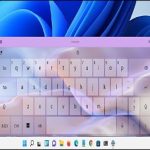
How To Change Touch Keyboard Themes On Windows 11?
Windows 11 will be releasing on the 5th of October this year, and we can't wait. During the virtual launch event, Microsoft gave us...
Credential Manager In Windows10 And 11- A Complete Guide
Credential Manager In Windows 10 and 11, is a useful tool for managing passwords and login information locally on a user's PC, although it...