


































6 Ways To Close Multiple Apps Simultaneously On Windows
In this article, we have presented 6 easy ways to close multiple apps on the Windows system. The performance of your PC can typically be...

How to download and install macOS High Sierra Public Beta?
Your Mac is really elevated and Apple has bestowed more power upon it with new macOS High Sierra. Apple has finally released the first...

macOS Ventura- After updating Slow Email Fetch Issue (Fixed)
In this article, we have mentioned the different fixes that can help resolve the slow email fetch issue in Apple Mail after updating to...

File Can’t Be Found Error macOS Ventura [Fixed]
If you're using a Mac on thee latest macOS Ventura, you may have encountered the error "File Can't be Found." This error occurs when...

High CPU Usage In macOS Ventura [Fixed]
If you've been experiencing high CPU usage in your macOS Ventura system, this blog post is for you. Various factors, including software and hardware...

How To Enable Or Disable Desktop Background In Windows 11
Some Windows desktop backgrounds may be confusing to some users or disruptive to their work activities. This could be because of vision issues or...
Unable To Get Out Of S Mode In Windows 11? Try These Fixes
In this guide, we have tried to fix the unable to get out of s mode in the Windows 11 issue.Microsoft never fails to...
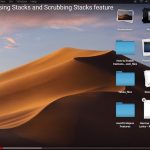
What is Stacks in macOS Mojave and how to enable it?
Stacks is a new feature introduced by Apple in its new version of macOS - macOS Mojave (Ver. 10.14). It basically automatically organizes your...

Can’t Accept Terms & Conditions After Updating To macOS Ventura: Fixed
There are various reports of users who are unable to proceed through the "iCloud Terms and Conditions" page that have been posted on Apple forums...
How To Turn On Or Off Tablet-Optimized Taskbar In Windows 11
Microsoft unveiled a new touch-optimized taskbar specifically designed for 2-in-1 devices in its Windows 11 build 22621.1344. Furthermore, the 2-in-1 devices now have a...