


































Is AirPlay Not Working On macOS Monterey? Try These Fixes
In this article, we will explain how to fix the AirPlay not working on macOS Monterey.Thanks to AirPlay, directly streaming the content from one...
Install firefox without any browser using FTP command in terminal on a Mac
One of my friends recently installed latest software update for his Mac OS X 10.8. This update package also had updates related to safari...
How To Customize The Taskbar In Windows 11?
Windows 11 is taking Microsoft users by storm after its virtual launch event. The new version of Windows has it all from various apps,...

How To Show Word Count In Pages For Mac
If you're writing a blog, an essay for school, or for a customer that pays you by the word, then keeping track of the...
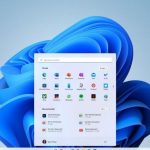
How To Show Hidden Files And Folders In Windows 11
Microsoft has always had a reputation for offering very useful tools to its users. Windows 11 recently released by Microsoft follows the same trend....

How To Clone Windows 11 To SSD?
This article will make you learn how to clone Windows 11 to SSD without having to reinstall Operating System and prevent data loss. To...

How To Install Windows 11 On An Android Phone?
You can install Windows 11 on your android phone using the methods in this blog post. And while you are wondering if it's even...

8 Best Optimization Software To Speed Up Your Mac
Keep reading below to learn about the best optimization software you can choose to speed up your Mac considerably.
Technology has given users a wide...
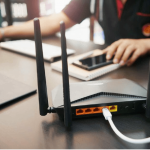
How To Combine Multiple Internet Connections On Windows 10?
In 2021, our lives are just as much dependent on the internet as we are on food, clothing, and shelter. Okay, that's an exaggeration!...

Drag And Drop Issues In macOS Monterey
It's the old "drag and drop." You can move things from one place to another in a virtual world by clicking on them. You'd...