

































6 Best Fixes :Thumbnail Not Showing Windows 11
Thumbnail previews are super helpful. A Thumbnail preview is a miniature representation of a file. So, you don't need to open every file to...
How To Create Automated Tasks On Windows 11
In this guide, we have mentioned the step-by-step process of creating automated tasks on Windows 11.Among the several advanced features and apps present on...
How To Turn On/Off Smart App Control In Windows 11
What is Smart App Control?
Smart App control in your Windows 11 is Windows security which adds up extra protection to the windows from the...
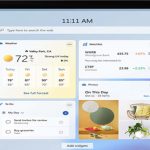
How To Add Or Remove Widgets In Windows 11
About Windows 11
As our PCs become more important in our lives, Windows 11 is designed to help you connect with the things that make...
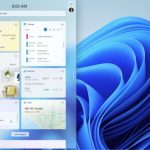
Hands On: How To Use Widgets In Windows 11
Widgets are one of the several new features you’re going to find in the upcoming release of Microsoft Windows. These widgets look like big...
How To Show Or Hide Items In Disk Management In Windows 11
Managing your computer’s storage effectively is essential for maintaining optimal performance and organization. Disk Management in Windows 11 is a powerful tool that allows...

How To Factory Reset Windows 11 PC
Factory Reset a Windows 11Windows 11 PCs can be reset to resolve problems or prepare them for sale. This clears all of your settings...
5 Ways To Fix WMI Provider Host (WmiPrvSE.exe) High CPU Usage On Windows 10/11
If you've witnessed that the WMI Provider Host is utilizing a considerable share of your PC's CPU, you may have furthermore experienced a deceleration...
How To Resume BitLocker Protection For Drive In Windows 11
BitLocker is a powerful encryption feature built into Windows 11 that helps protect your data by encrypting your drives. Sometimes, you may need to...
Safari Not Working After Updating To macOS Monterey? Try These Fixes
Safari not working after updating to macOS Monterey? Don't worry, we will help you resolve it.Safari is the native web browser by Apple which...