





























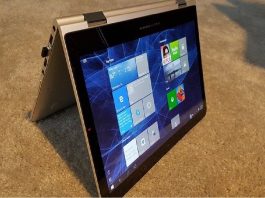


10 Things You Should Do After Installing Windows 11 In 2022
We're here to tell you about some changes that arrived in Windows 11 and here is a guide on the things you should prioritize...

A Beginner’s Guide to Understanding the Ubuntu File System
Ubuntu is a widely used operating system, celebrated for its simplicity and robustness. Central to its operation, like any other OS, is its file...

15 Settings You Should Change To Protect Your Privacy On Windows 11
Microsoft says that a computer must have a Trusted Platform Module (TPM) 2.0 component built into the motherboard in order to be able to...

6 ways To Fix Apple Notes Not Syncing Between iPhone And Mac
Thanks to iCloud, Apple is known to offer flawless syncing issues across the Apple ecosystem. However, recently a lot of users have complained that...

How To Backup And Restore Device Drivers In Windows 11: A Step-By-Step Guide
In Windows 11, it’s crucial to have a backup of your device drivers to ensure that all hardware components—such as your graphics card, network...

macOS Ventura: Cannot Delete Apps In MacBook Air [Fixed]
In this troubleshooting guide, we have mentioned the different hacks you can employ when you cannot delete apps in MacBook Air M1 running on...

macOS Ventura: After updating Apple Mail Search for mailboxes doesn’t work (Fixed)
After installing a new macOS version, you could encounter several unexpected problems. Some of these issues reappear with almost every macOS update. After upgrading...

MacBook Pro Ethernet Stops Working- Fixed
It becomes problematic when Ethernet stops working. When it comes to protecting its gadgets, Apple considers being the best. It maintains its high level...

10 Screen Recorders For Mac-November 2022
With a Mac, a screen recorder can let you accomplish much more. These tools allow you to record and share your screen as well...

15 Best New Windows 11 22H2 Features You Should Know
We know that Microsoft has moved to the yearly cadence with Windows 11, every year there will be an update with new features introduced....