

























How To Show Clock on Taskbars on All Displays in Windows 11
Let's get started with today's topic that is how to show Clock on Taskbars on All Displays in Windows 11.
Windows 11
Millions of PC users...

How To Install Ubuntu 20.04 LTS On VirtualBox In Windows 11?
Windows 11 users can freely install Ubuntu 20.04 LTS on Oracle VirtualBox on their PC without any hassle. Developers today are hungry to learn,...
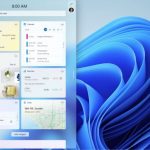
Hands On: How To Use Widgets In Windows 11
Widgets are one of the several new features you’re going to find in the upcoming release of Microsoft Windows. These widgets look like big...
How To Fix Slow LAN Speed On Windows 11
In this article, we will explain 6 methods that can fix slow LAN speed on Windows 11.Whether you are attending an online meeting or...

How To Get macOS’ Live Text Feature In Windows
Live Text Feature in WindowsTo copy, translate, or look up text that is in an image with Apple's Live Text feature, you just need...

How To Backup And Restore Device Drivers In Windows 11: A Step-By-Step Guide
In Windows 11, it’s crucial to have a backup of your device drivers to ensure that all hardware components—such as your graphics card, network...
How To Reinstall Audio Driver On Windows 11 PC
It is easy to reinstall Audio Driver on Windows 11 PC using these simple ways.
Whether it is Windows 11 or any other version, you...

How To Increase VRAM In Windows 11
Computer memory is very important if you want to get to applications and programmes quickly. The computer memory, or RAM, is used by the...
How To Restart Windows 11 Start Menu
The start menu in Windows 11 will allow you to access all of the installed apps on your computer. From this, you can also...

How To Manually Setup Proxy Server In Windows 11?
Windows 11, just like its predecessor, allows you to setup a proxy server on your computer. The benefits of a proxy server are privacy,...