



































How To Enable ‘Stop Incoming Video’ Feature In Zoom
Zoom has become a household name since the pandemic stuck us and the work from home culture gained popularity. The Video Conferencing App keeps...

Mac OS Ventura – After Updating “Passcode is not set “Error Issue (Fixed)
You should restart in safe mode. In doing so, a Disk Repair will be executed, cache files will be deleted, and only Apple-specific software,...
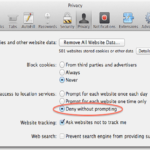
How to turn off Cross-Site Tracking in Safari for macOS High Sierra?
New Safari version 11 coming with macOS High Sierra is going to be more secure than ever before. In the previous post I have...

How to Setup a Chromecast device and Convert your normal HDTV into a Smart...
Chromecast can convert your normal HDTV into Smart TV just in $39.
Cast your favorite entertainment, YouTube, Netflix, Hulu, Hotstar or Prime Video straight from your phone...

How to create your own Email id associated with your Own domain?
Welcome back, This is Nasir with Web learning topics again.Today we are going to learn how to create our own Email account associated with...

How To View Your Locked Hidden Album On iPhone
In case you haven't heard, you can now hide photographs on your iPhone, iPad, or Mac with the help of Apple's Photos app. By...

Top 20 Best Hidden Tricks and Features Of Android
There are Ultimate Hidden Tricks and Features of Android for Android users. Android devices are incredibly intelligent and may be utilized for a variety...

How to Stop Meta Using Your Instagram Photos and Reels for AI Training in...
Learn how to stop Meta AI training on Instagram with our 2026 guide. Opt out, tighten privacy settings, and protect your photos and Reels from data harvesting.

macOS Ventura- Fingerprint Recognition Feature Not Working (Fixed)
Apple's biometric fingerprint reader is called the Touch ID. By pressing and briefly holding your finger against the sensor, you can access your device,...

Apple ID Sign-In Loop on macOS and iOS: How to Fix It
Stuck in an endless Apple ID sign-in loop on your Mac or iPhone? Here are the proven fixes, system checks, and recovery steps that actually resolve it.