
































How To Fix Slow Steam Client On Windows 11
In this article we have put down the potential fixes that can help speed up the slow Steam Client on Windows 11.Steam is the...
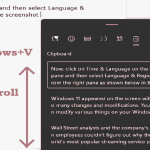
How To Use Clipboard History On Windows 11
By default, clipboard history can hole only one item at a time. However, if you turn on the Clipboard history option on your Windows...
How To Preserve Timestamps When Using Rsync in macOS Ventura
Apple macOS Ventura is the next generation of software that is designed to meet the rapidly changing needs of users. From features like Stage...

How To Enable/Disable Restore Pages Dialog Prompt In Microsoft Edge
When Microsoft Edge suddenly shuts or crashes, a prompt emerges asking if you want to restore your previously opened pages. Nonetheless, many users find...
How To Easily Install VPN Application On Chromebook
To select and install VPN application is necessary to browse with security. As we know, Chromebooks rely largely on internet connectivity for the majority...

7 Ways To Fix Overheating Issue Windows 11
Several users are facing the problem of overheating after updating to Windows 11. Overheating is a serious issue that needs immediate address. It can...

How To Enable Or Disable Changing Desktop Background In Windows 11
Many people love having stylish or aesthetically pleasing or just plain comfy desktop backgrounds on their computers. There are also instances wherein people like...

How To Enable And Use Kids Mode In Microsoft Edge
In this article, we will learn about the Kids Mode in Microsoft Edge that makes the internet safer for little kids.Leaving the kids in...

7 Tips To Speed Up Mac After Installing macOS Ventura
You've just installed macOS Ventura on your Mac and you're excited to explore its new features and improvements. But wait, what's this? Your Mac...

How To Fix Android Apps Not Working On Windows 11
Microsoft has allowed users to run Android apps in Windows 11. This is very celebrating news for the Windows user base since it is...